This guide explains how to delete a group permanently or downgrade an Active Group to Listing from Plan & Billing. These actions directly impact your members, sessions, and payments — so pick carefully.
📍 Quick flow
Go to Profile→Select Group→Click Delete Group→Confirm Deletion
🎓 What you’ll learn
How to delete an Active Group
How to delete a Listing Group
How to use Downgrade to Listing (pause your group)
What happens to members, sessions, and billing
🧠 Delete vs Downgrade (understand this first)
🗑️ Delete Group
Permanent removal — cannot be undone. All members, sessions, and data are removed.
⏸️ Downgrade to Listing
Temporary pause — you can reactivate later. The group stays visible and followers remain.
✨ Why this matters
Affects member access and trust
Impacts ongoing sessions and payments
Determines whether you can restart the group later
⚠️ Important — before you start
Only the Group Leader can delete or downgrade.
Delete Group is permanent and cannot be reversed.
Downgrade keeps your group visible but disables activity.
These actions affect: members (access removed), sessions (canceled), and payments (stopped or refunded).
Permanently removes a paid, active group and cancels its subscription.
1
Go to Plan & Billing
Opening your subscription and group list.
👉 What to do
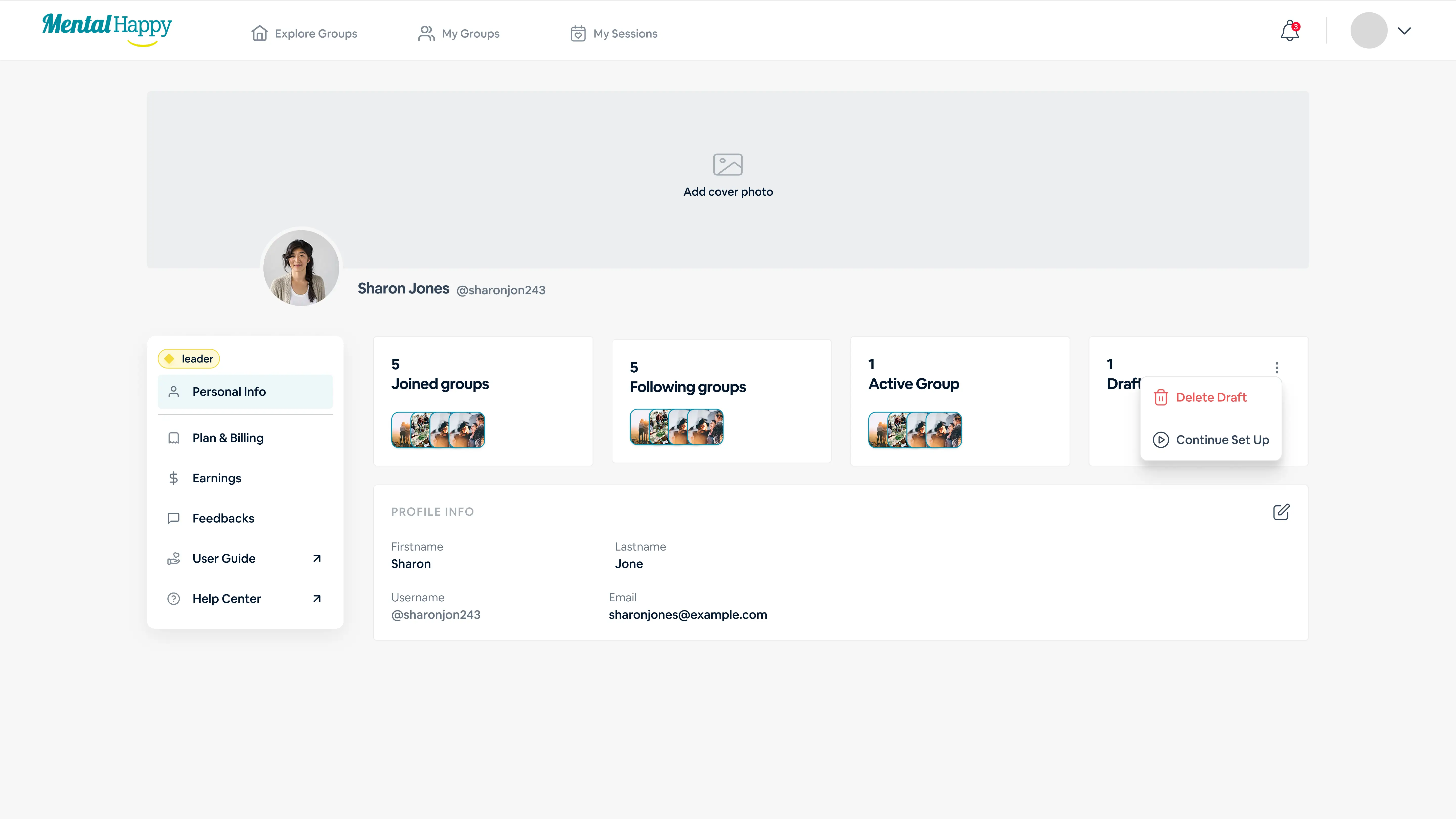
Click your Profile
Select Plan & Billing
⚙️ What happens in the system
Subscription details appear
All Active Groups are listed
The Plan & Billing page listing your Active Groups.
✨ Tips
Double-check the correct group before proceeding
🔒 Hidden logic
Deleting the wrong group cannot be reversed
2
Open Group Actions
Finding the delete option for your group.
👉 What to do
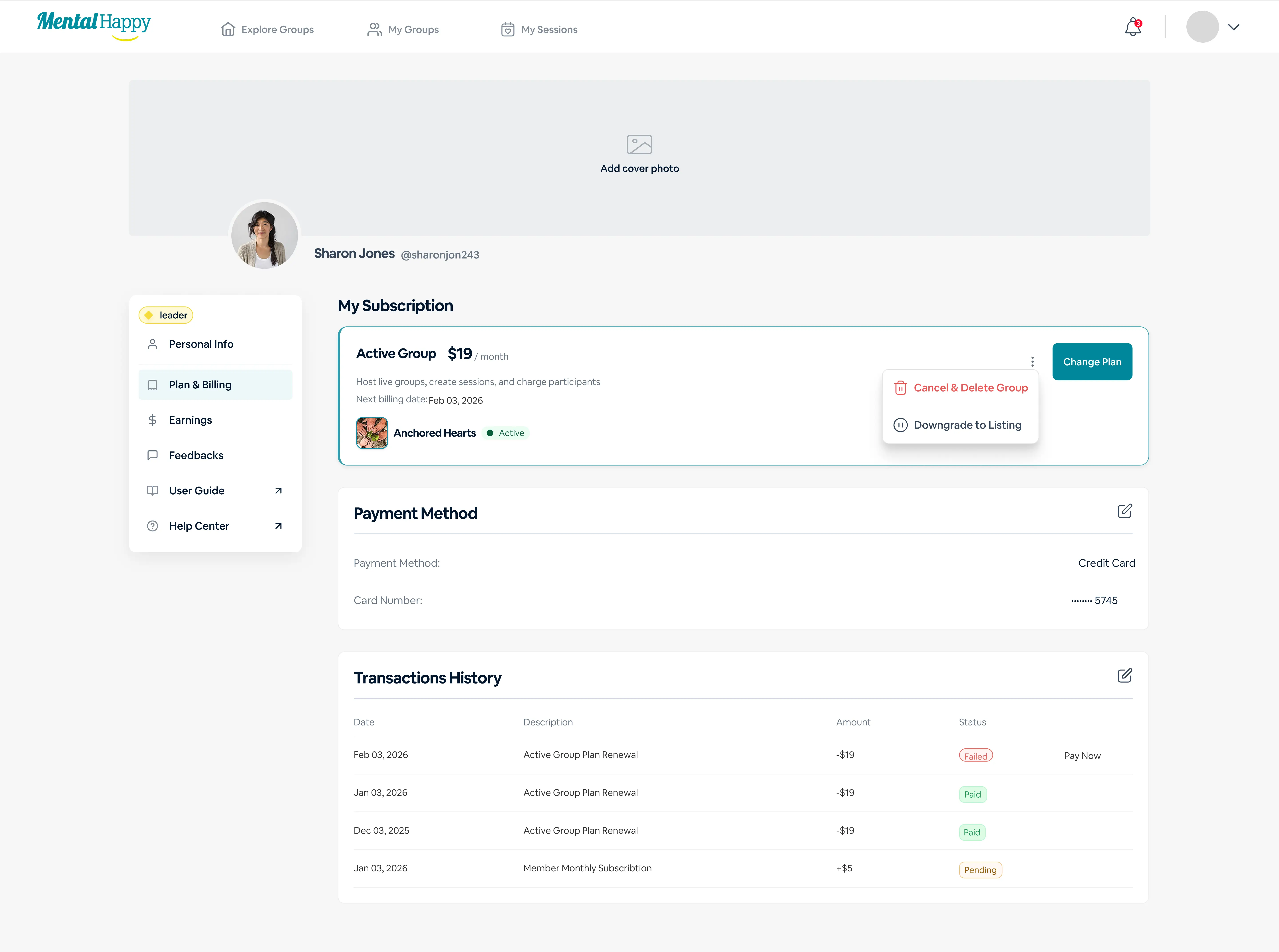
Click the 3-dot menu next to the group
Select Cancel & Delete Group
⚙️ What happens in the system
Confirmation modal appears
The 3-dot menu next to your group, with the Cancel & Delete Group option.
✨ Tips
This option is only available for Active Groups
🔒 Hidden logic
Only active (paid) groups require subscription cancellation
3
Review Deletion Impact
Understanding exactly what will be removed.
👉 What to do
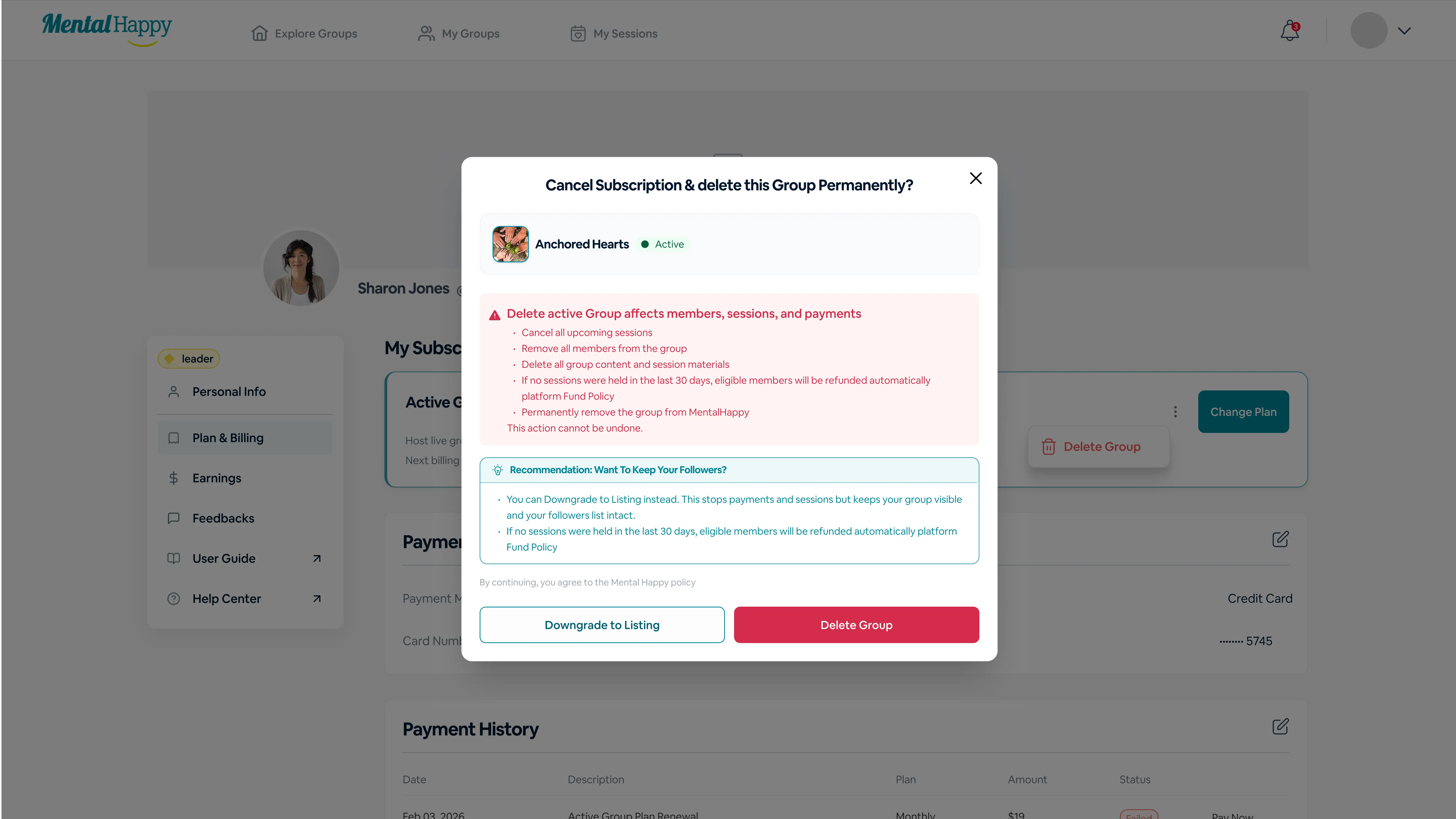
Carefully review the warning message
⚙️ What happens in the system
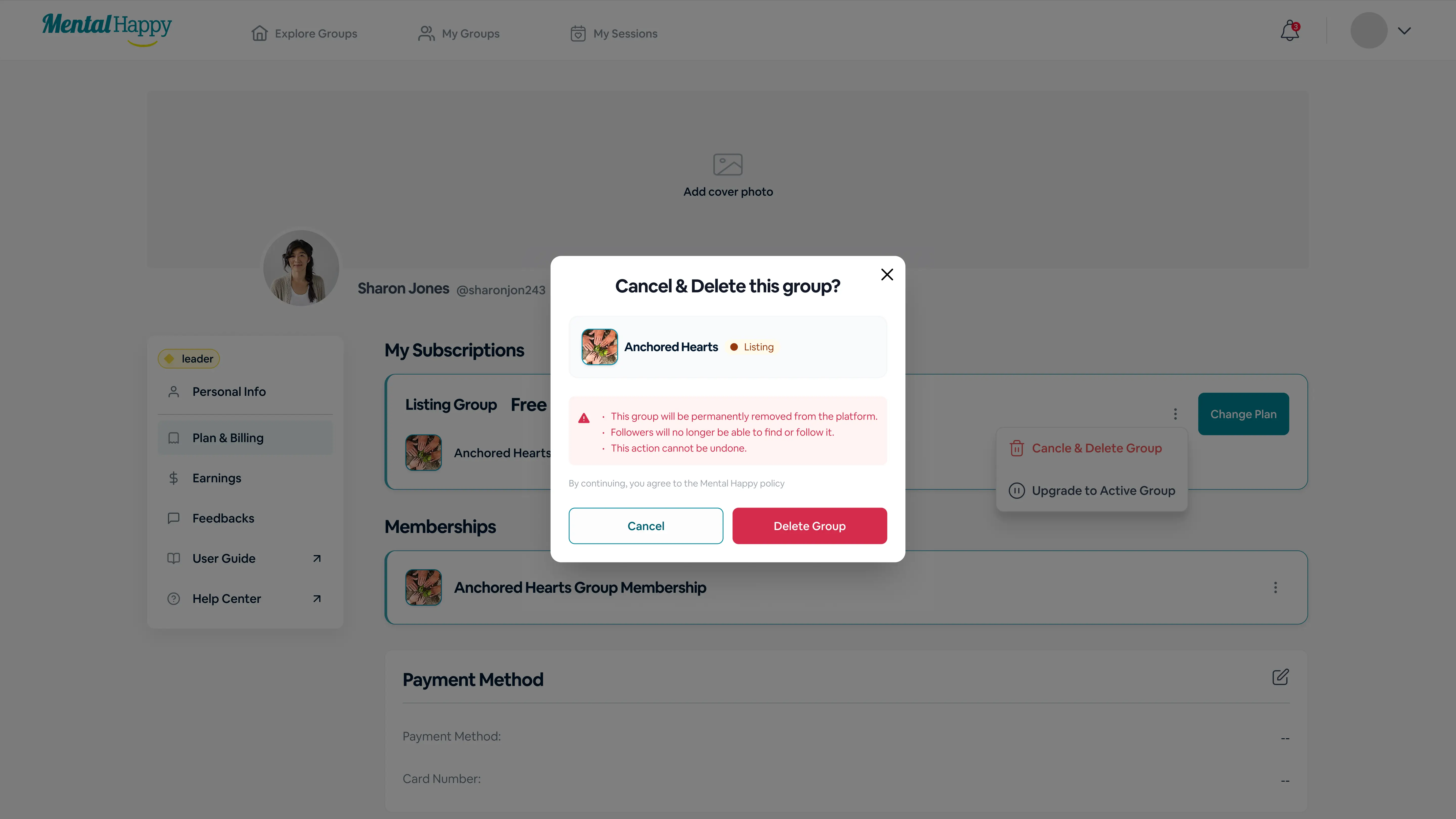
The system informs you that:
Sessions will be canceled
Members will be removed
Content / data will be deleted
Payments will stop (refunds may apply)
Group will be permanently removed
The delete confirmation modal showing what will be removed.
✨ Tips
If unsure, use Downgrade instead
🔒 Hidden logic
Deletion removes all historical data permanently
4
Confirm Delete Group
Finalizing the permanent removal.
👉 What to do
Click Delete Group
⚙️ What happens in the system
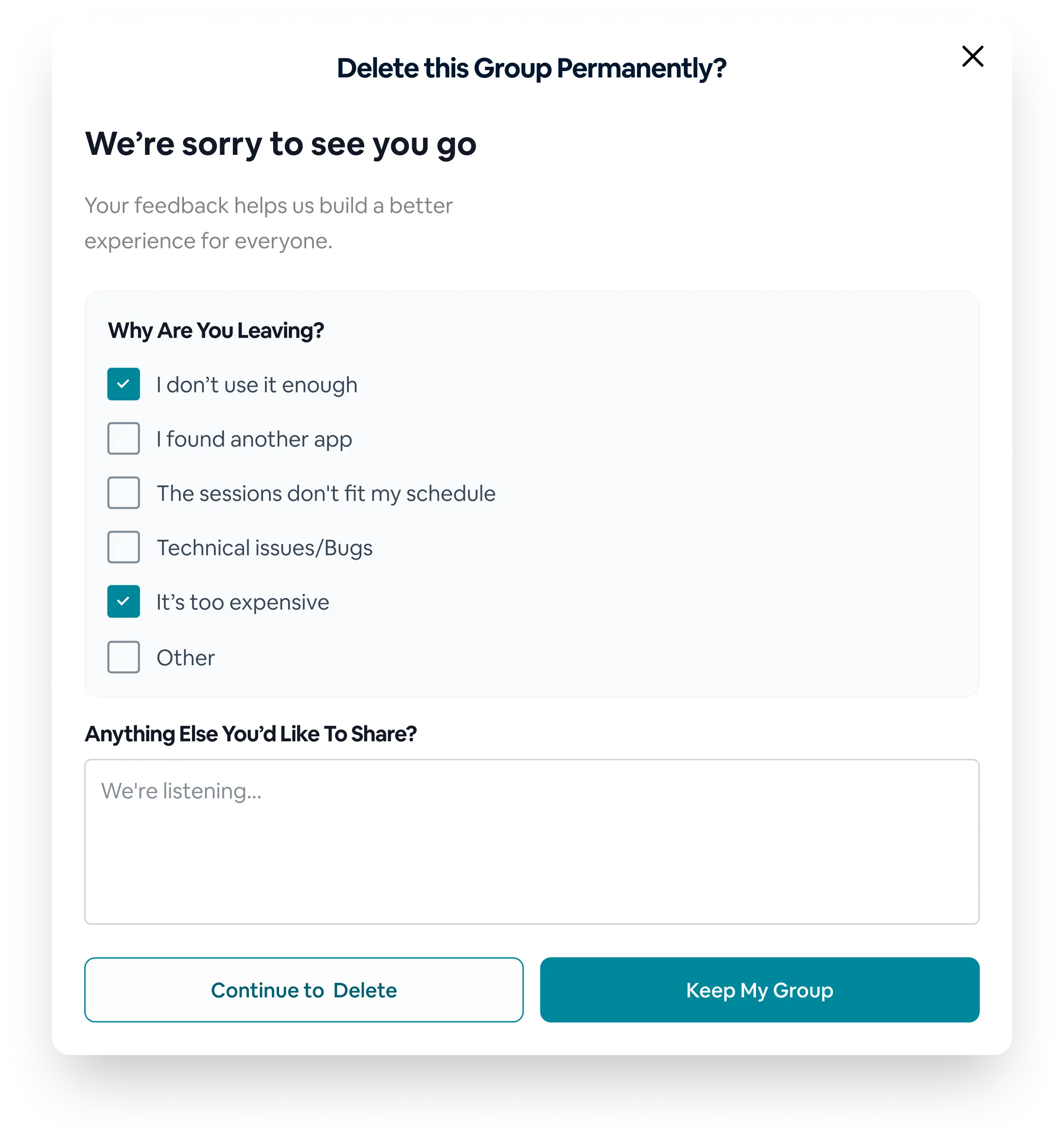
You may be asked for quick feedback on why you’re deleting
Group is deleted permanently
Subscription is canceled
Success message appears
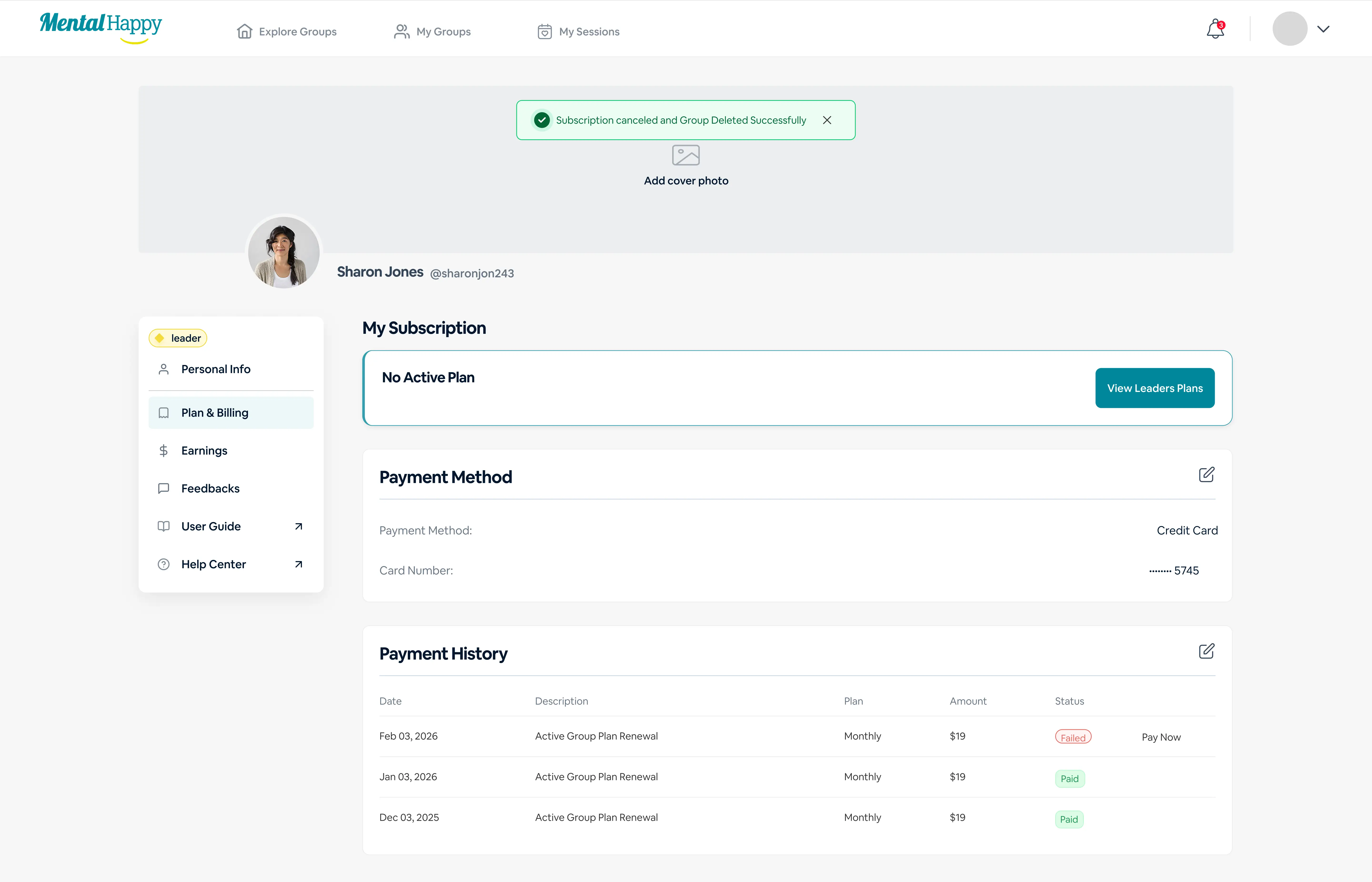
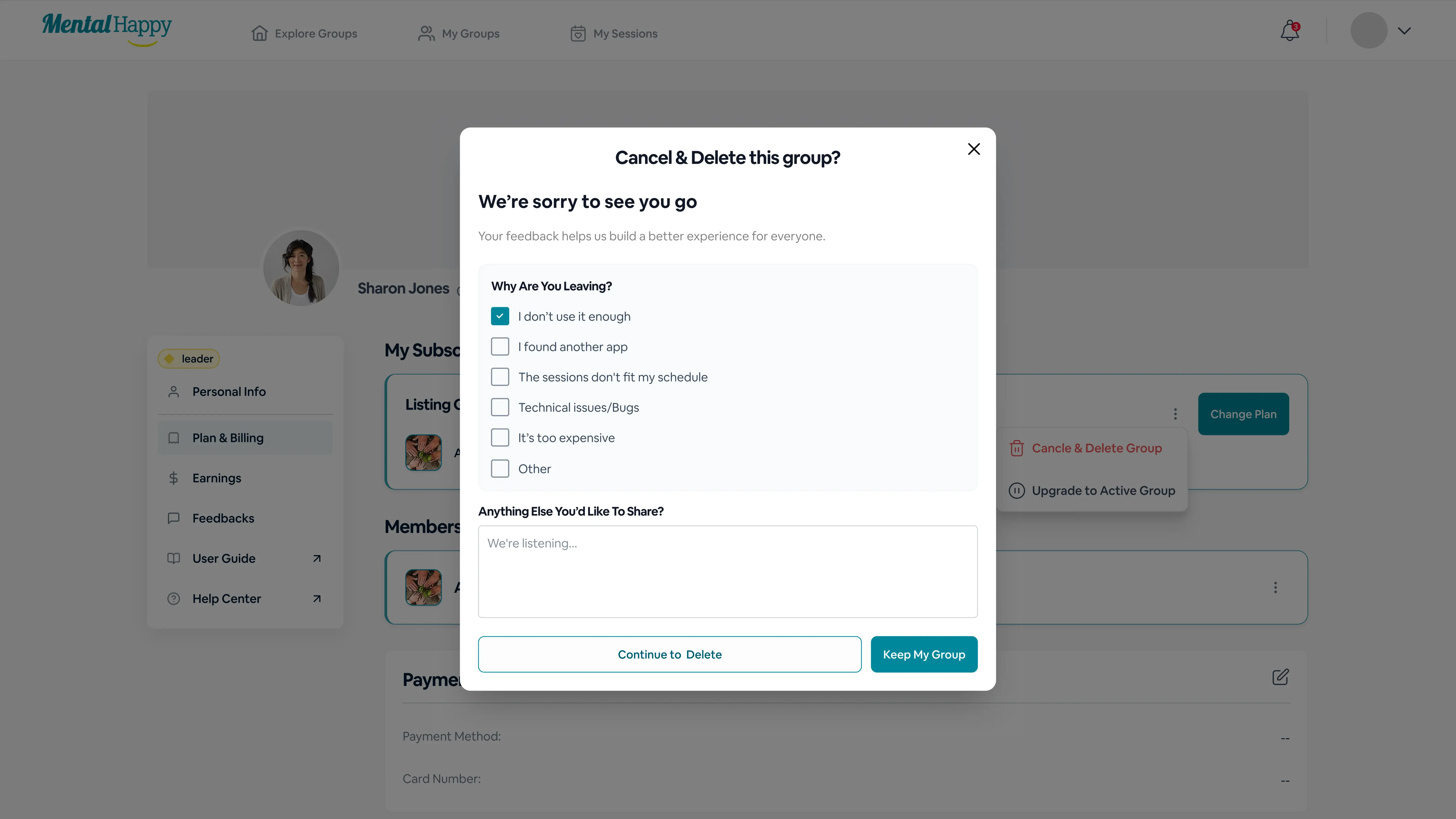
The optional feedback prompt shown when deleting an Active Group.Confirmation that the group was deleted and its subscription canceled.
✨ Tips
Ensure all sessions are handled before deleting
🔒 Hidden logic
Deletion instantly removes member access
📌 What happens next (Active Group deletion)
Group removed from Explore
Members lose access
Sessions canceled
Payments stopped / refunded
Part 2
Downgrade an Active Group to Listing
Pauses your group while keeping it visible and keeping your followers.
1
Open Group Actions
Finding the downgrade option.
👉 What to do
Go to Plan & Billing
Click the 3-dot menu
Select Downgrade to Listing
⚙️ What happens in the system
Downgrade modal appears
The 3-dot menu with the Downgrade to Listing option.
✨ Tips
Best option if you want to pause your group
🔒 Hidden logic
Downgrade preserves your group and followers
2
Review Downgrade Impact
Seeing what changes when you pause.
👉 What to do
Review downgrade details
⚙️ What happens in the system
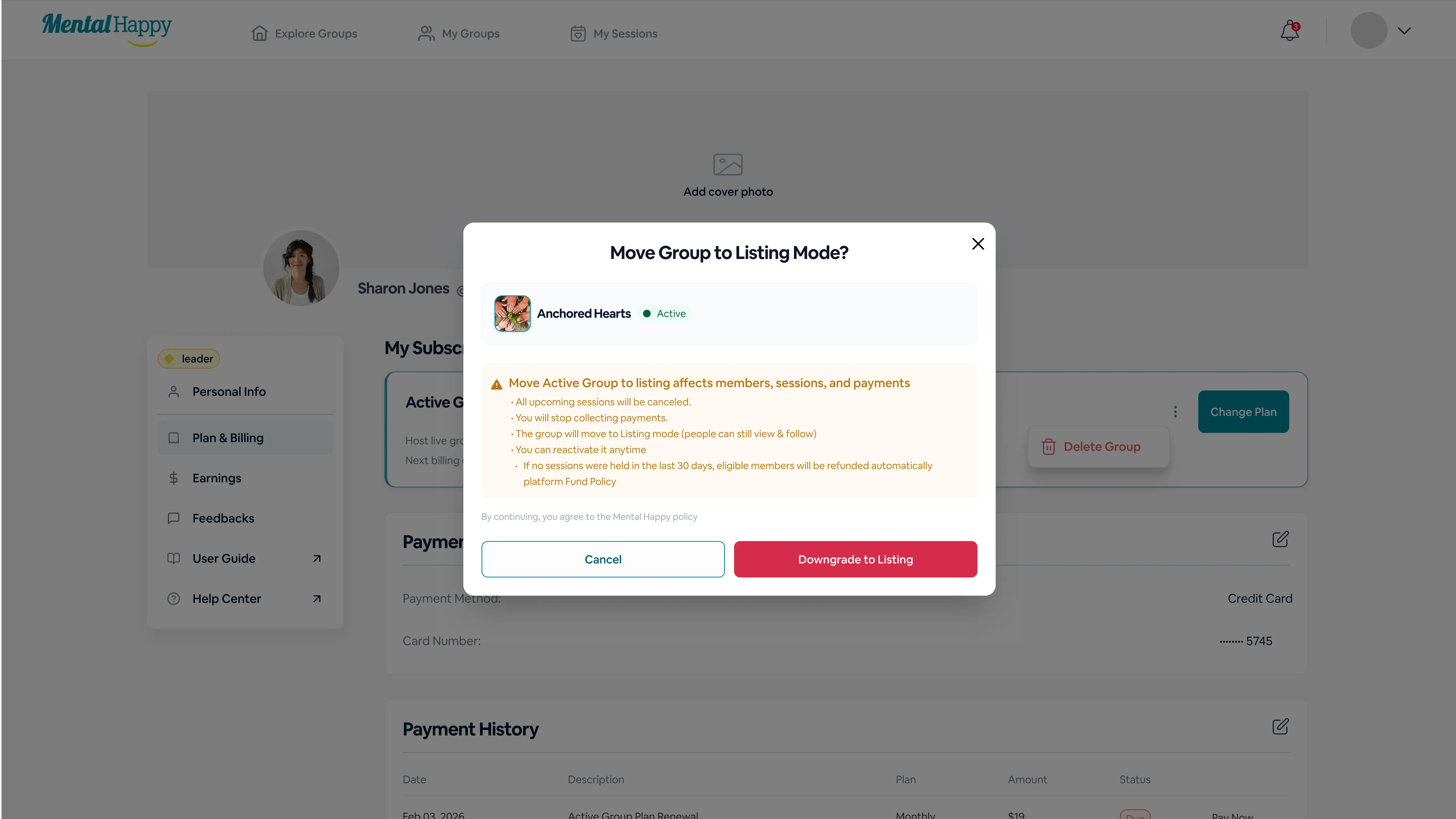
Active → Listing
Sessions and payments stop
Group remains visible
Members can follow
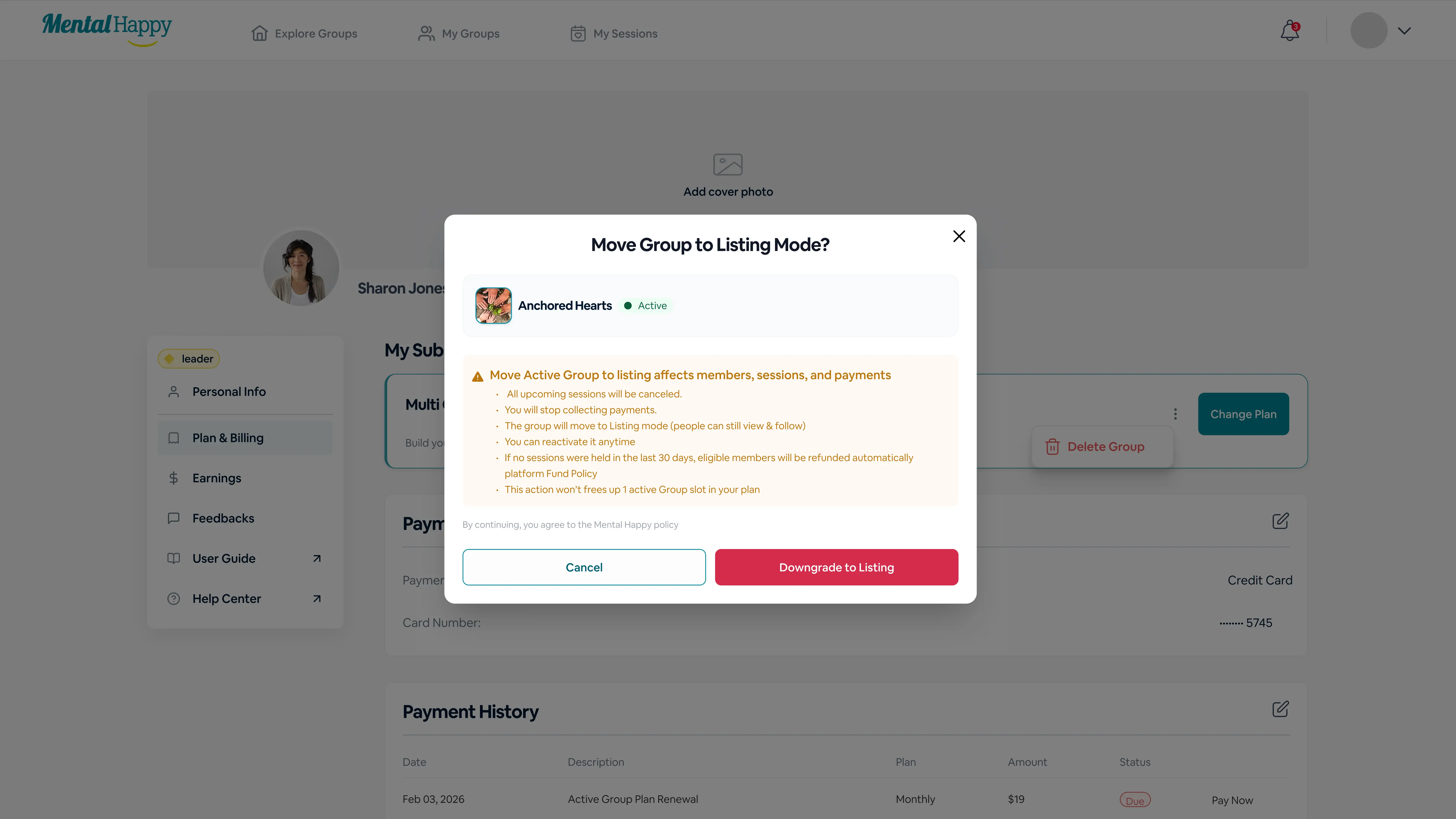
The downgrade confirmation modal explaining what changes.
✨ Tips
Use this when taking a break or restructuring
🔒 Hidden logic
Followers remain, helping future reactivation
3
Confirm Downgrade
Switching the group to Listing.
👉 What to do
Click Downgrade to Listing
⚙️ What happens in the system
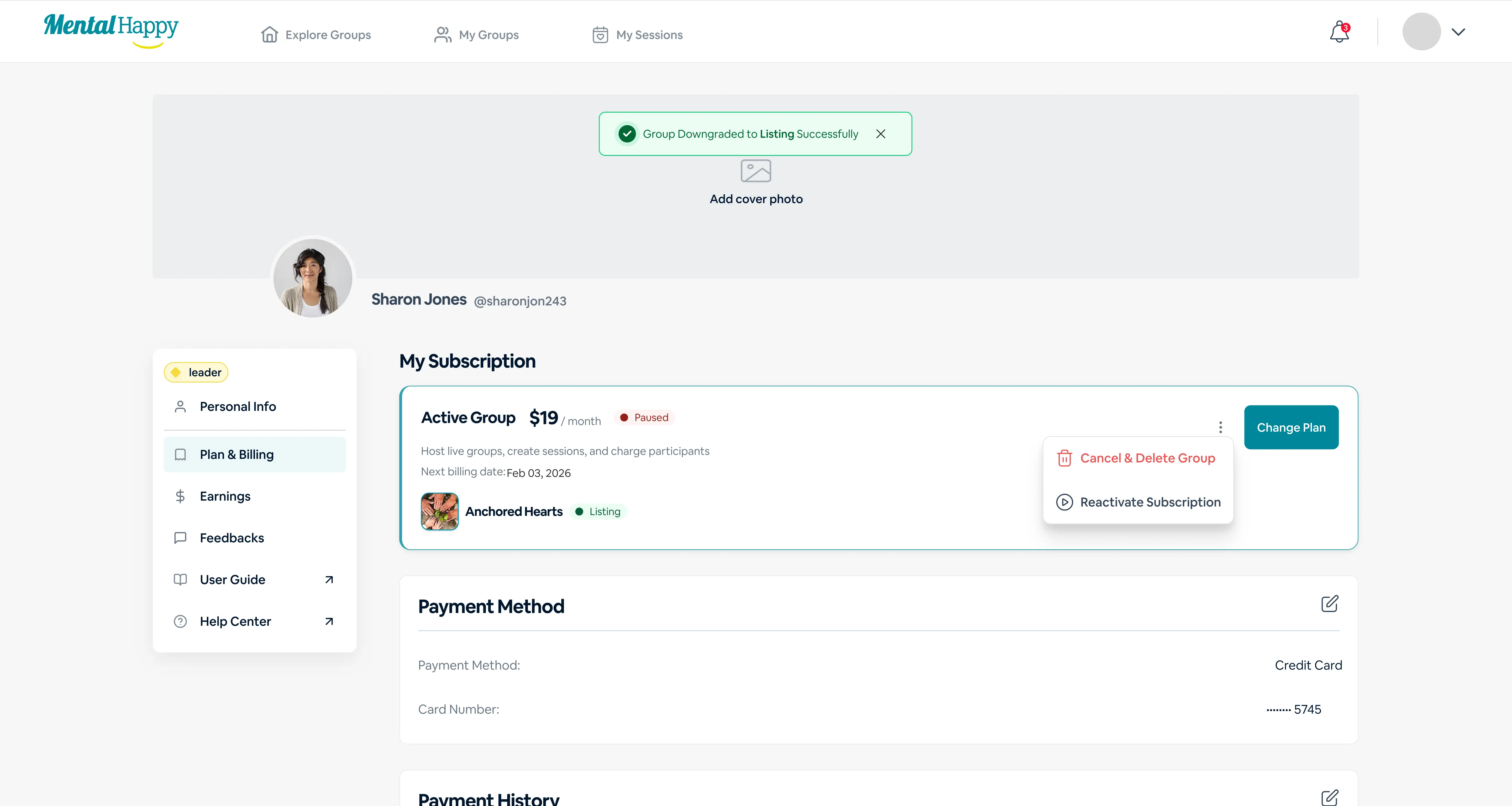
Group becomes Listing
Active features disabled
Confirmation displayed
Confirmation that the group is now a Listing.
✨ Tips
You can reactivate anytime by switching to paid
🔒 Hidden logic
Downgrade keeps growth momentum alive
📌 What happens next (Downgrade)
Group appears in the Listing tab
No sessions / payments active
Followers remain
Can reactivate anytime
Part 3
Delete a Listing Group
Permanently removes a free Listing group and disconnects its followers.
1
Open Listing Group Actions
Finding the delete option for a Listing group.
👉 What to do
Go to Plan & Billing
Find the Listing Group
Click 3-dot menu → Delete Group
⚙️ What happens in the system
Confirmation modal appears
The 3-dot menu for a Listing group, with the Delete Group option.
✨ Tips
Ensure you no longer need the group
🔒 Hidden logic
Followers will be lost permanently
2
Confirm Deletion
Finalizing removal of the Listing group.
👉 What to do
Click Delete Group
⚙️ What happens in the system
Group is removed permanently
Followers lose access
The confirmation dialog for deleting a Listing group.The optional feedback prompt shown when deleting a Listing group.
✨ Tips
Consider keeping it if you may relaunch later
🔒 Hidden logic
Deleting removes all interest signals (followers)
📌 What happens next (Listing deletion)
Group removed from the platform
Followers disconnected
Part 4
Change Plan / Upgrade / Downgrade
Adjust your subscription to match how many groups you run.
What you can do
Upgrade to the Active Group Plan
Downgrade to Listing (Free)
Switch to a Multi-Group / Org Plan
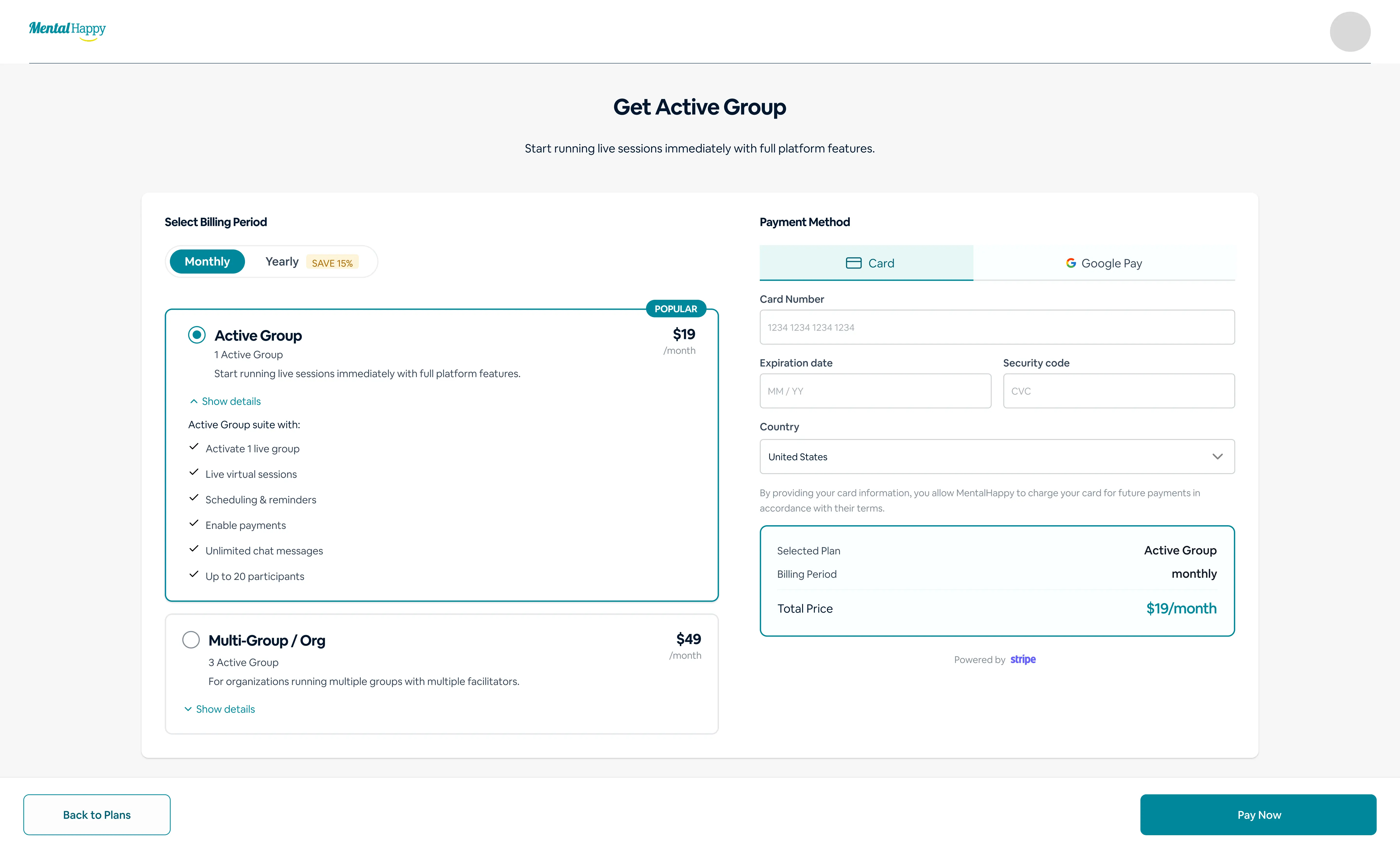
The Change Plan screen for upgrading or downgrading your subscription.
⚙️ What happens in the system
Billing updates immediately
Group limits adjust
The plan downgrade selection screen.
✨ Tips
Choose your plan based on the number of groups managed
🔒 Hidden logic
Plan limits directly affect how many active groups you can run
🔒 Hidden Logic & Clarifications
Deleting is irreversible
Downgrading preserves audience and data
Active groups require billing plans
Listing groups are free and discovery-focused
✅ Best Practices
Use downgrade instead of delete when unsure
Inform members before major changes
Complete sessions before deleting
Review billing to avoid charges
⚠️ Common Mistakes
Deleting instead of downgrading
Not reviewing impact on members
Forgetting deletion is permanent
Not communicating changes
🛠️ Troubleshooting
Delete option not visible
Ensure you are logged in as the Group Leader.
Downgrade not working
Resolve active sessions first, then try again.
Unexpected charges
Review your billing cycle and current plan.
💬 Final Note
Deleting and downgrading are high-impact actions. Use Downgrade to Listing to pause while keeping your audience, and use Delete Group only when you are certain you no longer need the group.