Using the MentalHappy App
Overview
The MentalHappy mobile app lets you join groups, connect in chat, and attend live video sessions securely. Available on iOS and Android.
In this article, you'll learn how to:
- Download and log into the app
- Use group chat
- Join video sessions
- Manage your schedule and notifications
Before You Begin
- You must have a MentalHappy account
- You must Join a group as a Member to chat and attend sessions
- Followers can view updates but cannot interact or join sessions
Part 1 Getting Started
Download the App
Log In
Log in using your existing email and password.
Your account syncs with your groups and sessions.
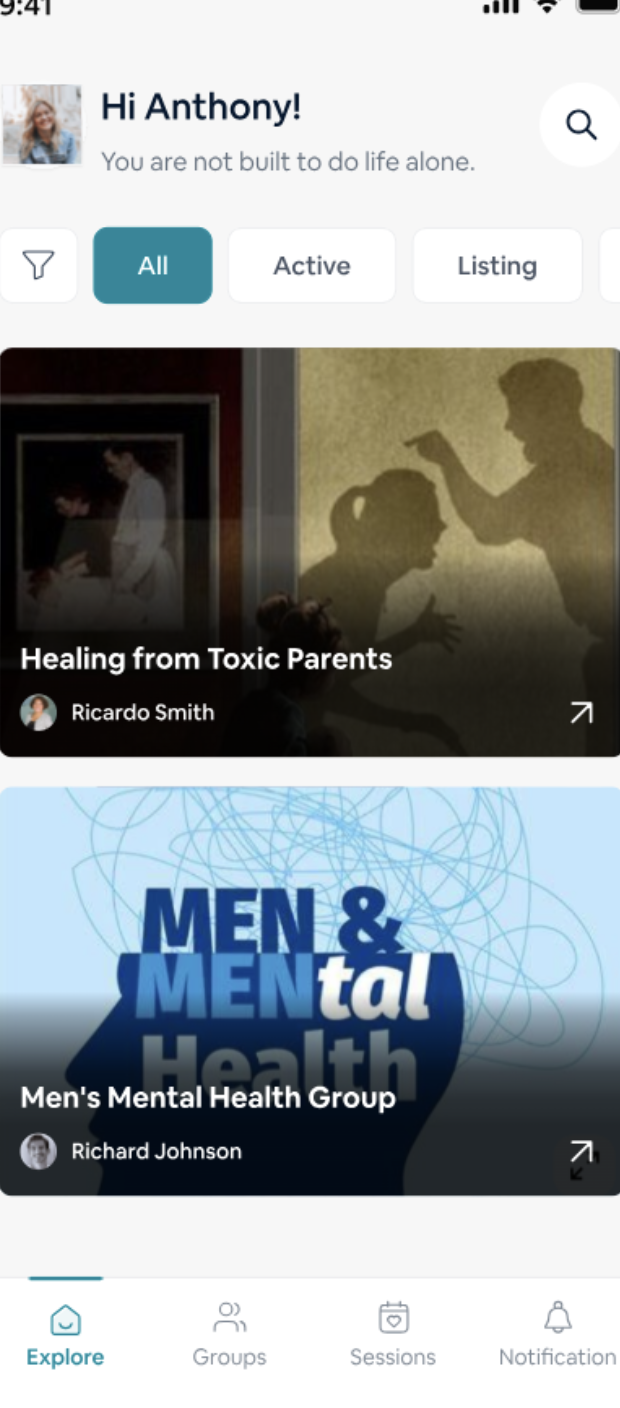
Understand the Home Screen
Part 2 Group Chat
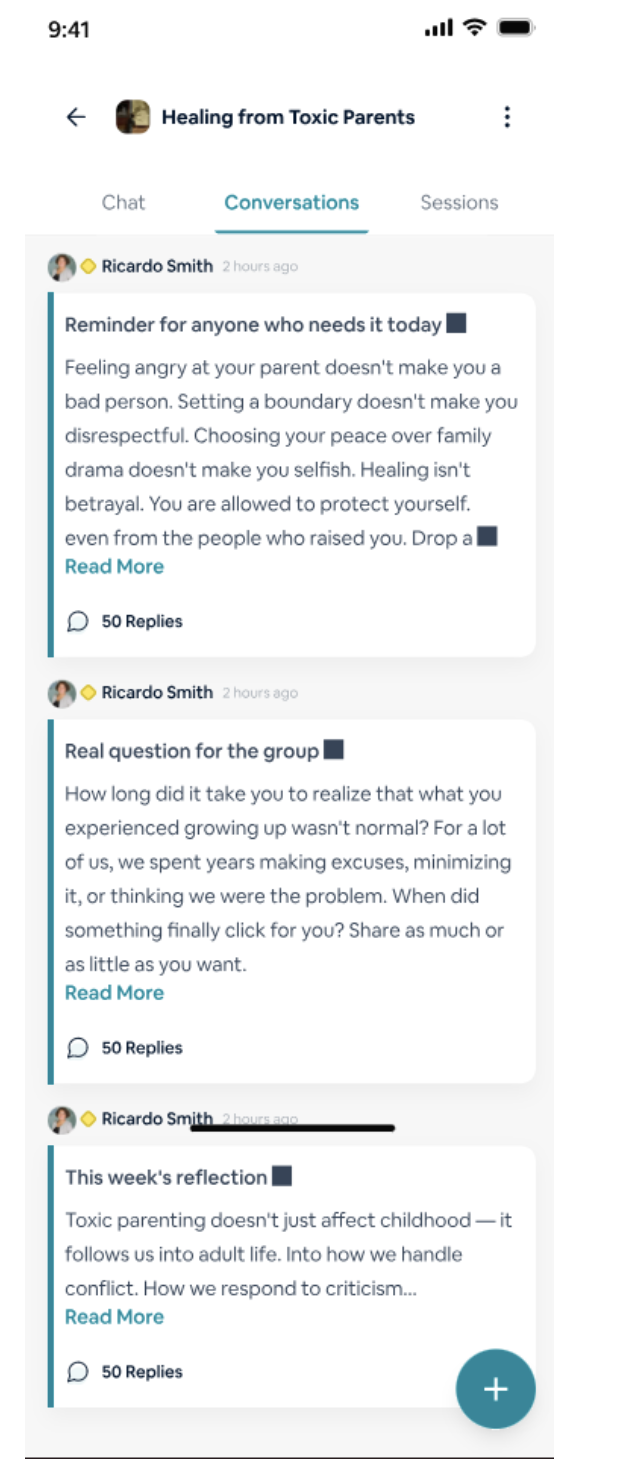
Access Chat
Open your group → Tap Conversations (chat icon).
- Group chat opens
- You can view messages from members and the Group Leader
Send Messages
Type your message → Tap Send.
You can also:
- Mention members using
@username - React with emojis or replies
Message is visible to all group members.
- Daily check-ins
- Welcoming new members
- Session reminders
- Sharing resources
Part 3 Video Sessions
Find Sessions
Go to Events / Calendar.
Upcoming sessions are displayed.
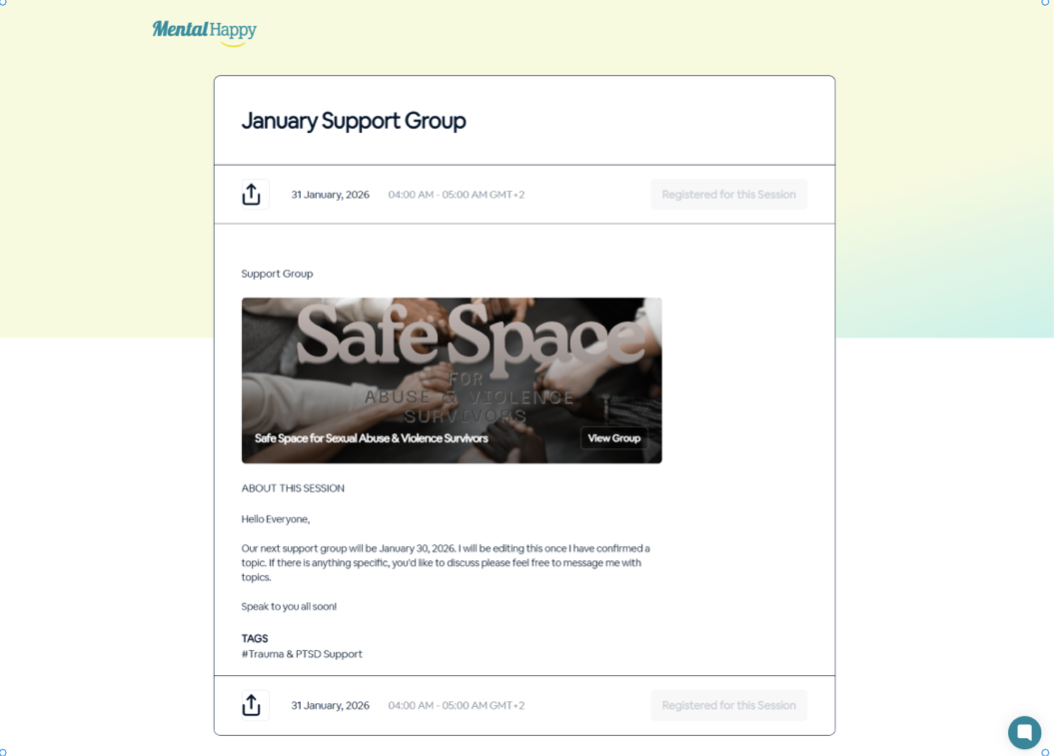
Register / RSVP
Tap a session → Click Register / RSVP (optional).
- Your attendance is recorded
- You receive reminders
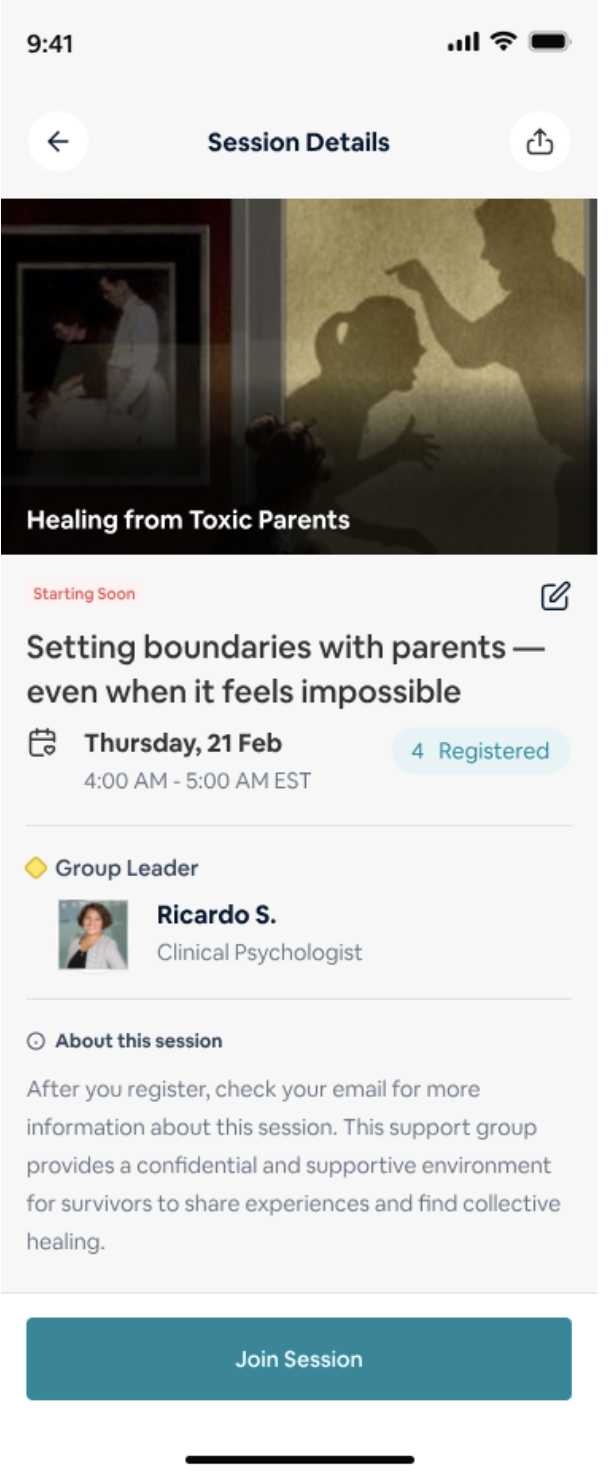
Join Session
Tap Join Session (available ~10 minutes before start).
You enter a live video session inside the app.
Part 4 Calendar & Scheduling
Open Calendar
Go to the Events / Calendar tab.
Manage Sessions
- Tap events to view details
- RSVP to get reminders
- Cancel RSVP if needed
Part 5 Notifications
Enable Notifications
Settings → MentalHappy → Notifications → Allow
Settings → Apps → MentalHappy → Notifications → Allow
Types of Alerts
Part 6 Common Issues & Fixes
Important Notes
📌 Platform Logic
- Members: Can chat, join sessions, and participate fully
- Followers: Can view updates but cannot interact
- You must Join a group for full access to all features
Best Practices
✨ Recommendations
- Enable notifications for timely updates
- Register for sessions in advance
- Keep your app updated for the best experience
Troubleshooting
Need Help?
Stay connected, anytime and anywhere 💜
The MentalHappy app helps you stay connected to your support group. Use chat, sessions, and notifications to get the most out of your experience.