Billing
Support Group Payments & Access
Overview
Some MentalHappy support groups are free, while others require payment to join. This guide explains how payments work, what access you get after joining, and how to manage your membership using Plan & Billing.
In this article, you'll learn how to:
- Pay to join a group
- Understand pricing options
- Access features after joining
- Manage your membership (Pause or Cancel)
- Understand refunds, inactive groups, and fees
Before You Begin
- You must be logged into your MentalHappy account
- You must Join a group as a Member to participate
- Groups may be:
- Free
- Monthly subscription
- One-time payment
- Donation-based
- Pricing is set by the Group Leader (not MentalHappy)
- Payment is required before accessing paid groups
Part 1 Pay to Join a Group
1
Find a Group
What to do
- Go to Explore Groups
- Select a group
- Open the group page
What happens in the system
Pricing is clearly shown before joining.
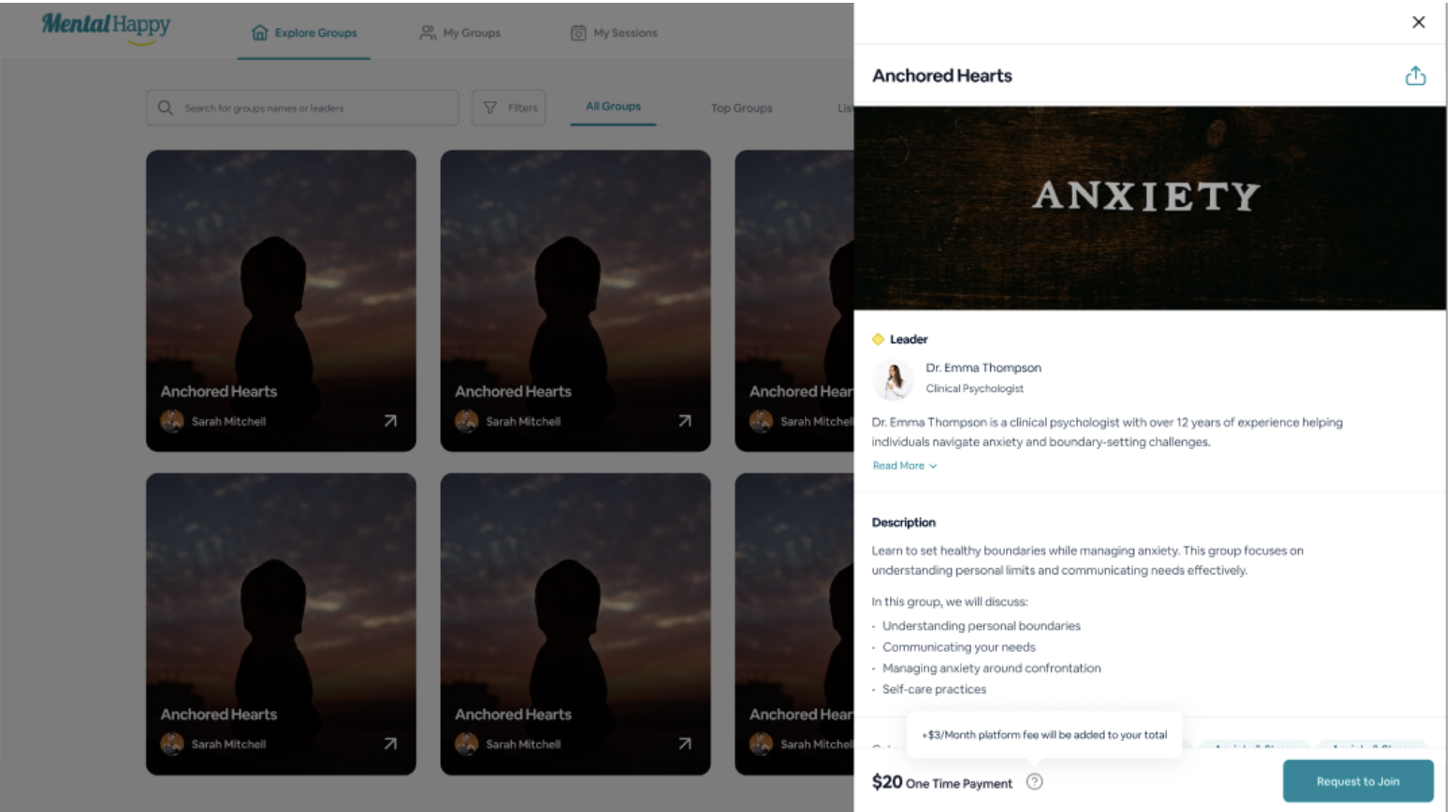
Tip: Look for labels like Free, $X/month, or One-time payment on the group page.
2
Review Pricing Model
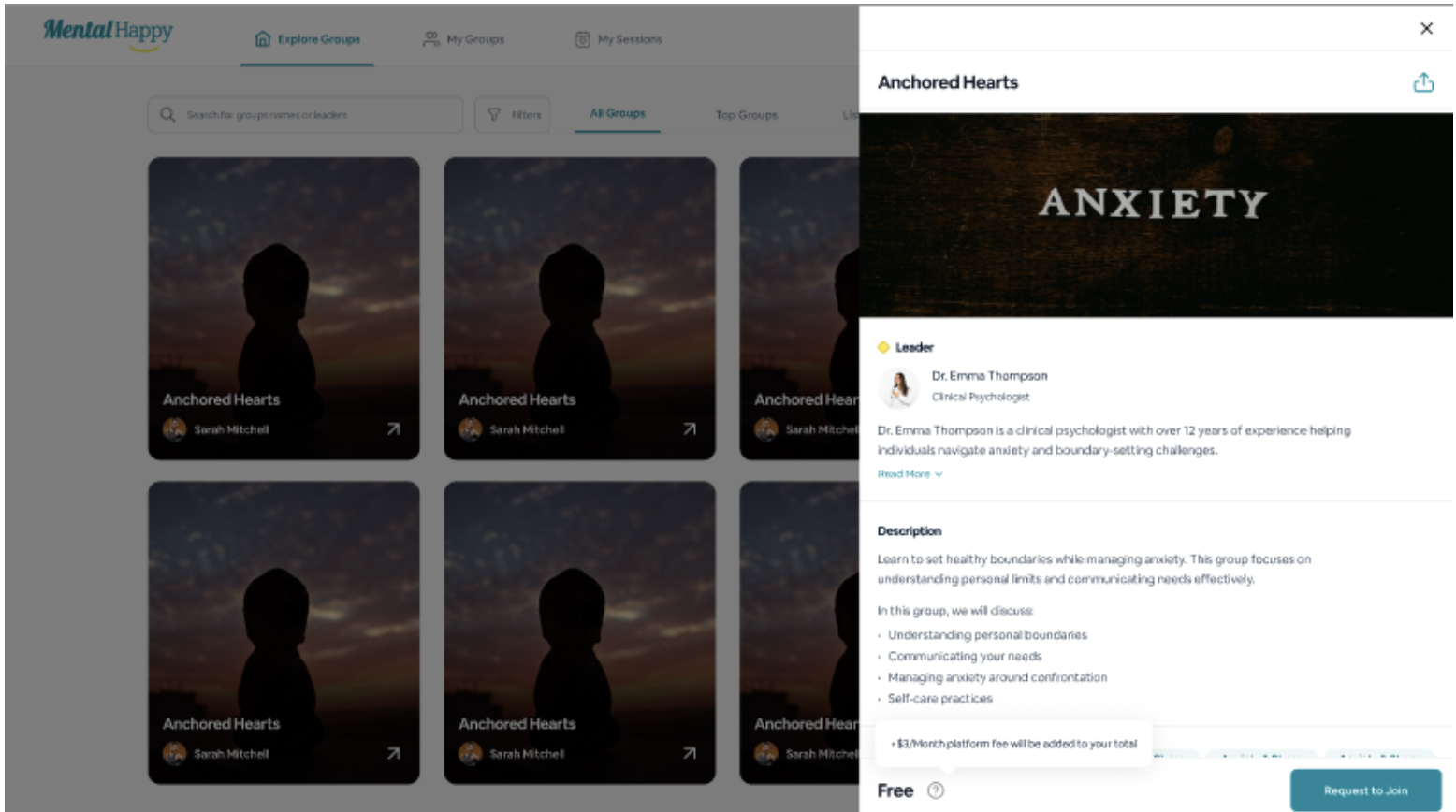
Free Groups
- No payment required
- Instant access upon joining
Join → Access unlocked immediately
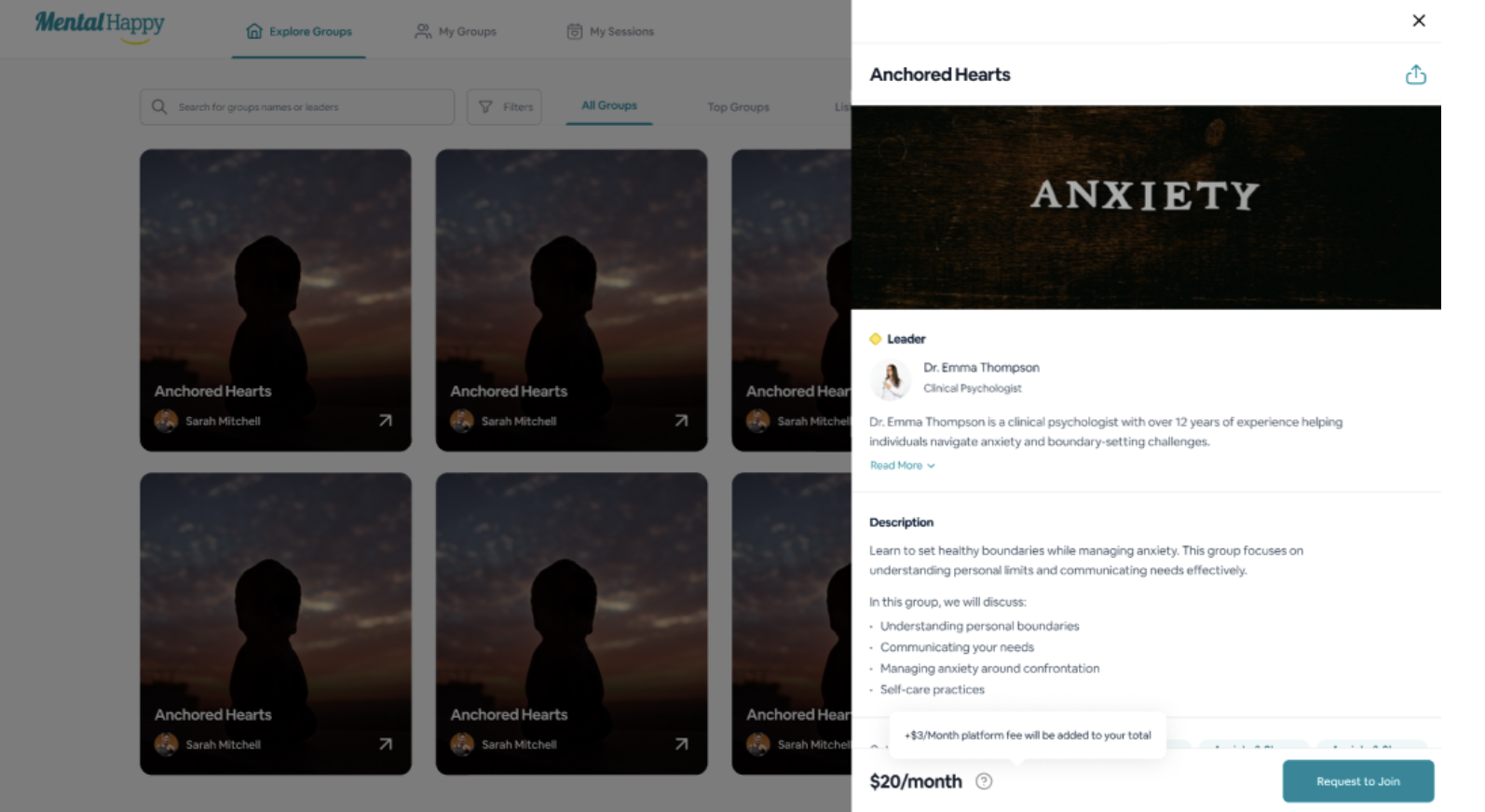
Monthly Subscription
- Recurring monthly payment
- Access continues while active
$25/month → Renewed monthly
One-Time Payment
- Pay once, no renewal required
- Ongoing access after payment
$25 once → Ongoing access
Donation-Based
- Optional contribution
- May allow free join
Join → Donate or skip → Access granted
3
Join the Group
What to do
Click Join Group or Request to Join.
What happens in the system
- Paid group: Payment screen appears
- Approval-based: Status shows Pending
4
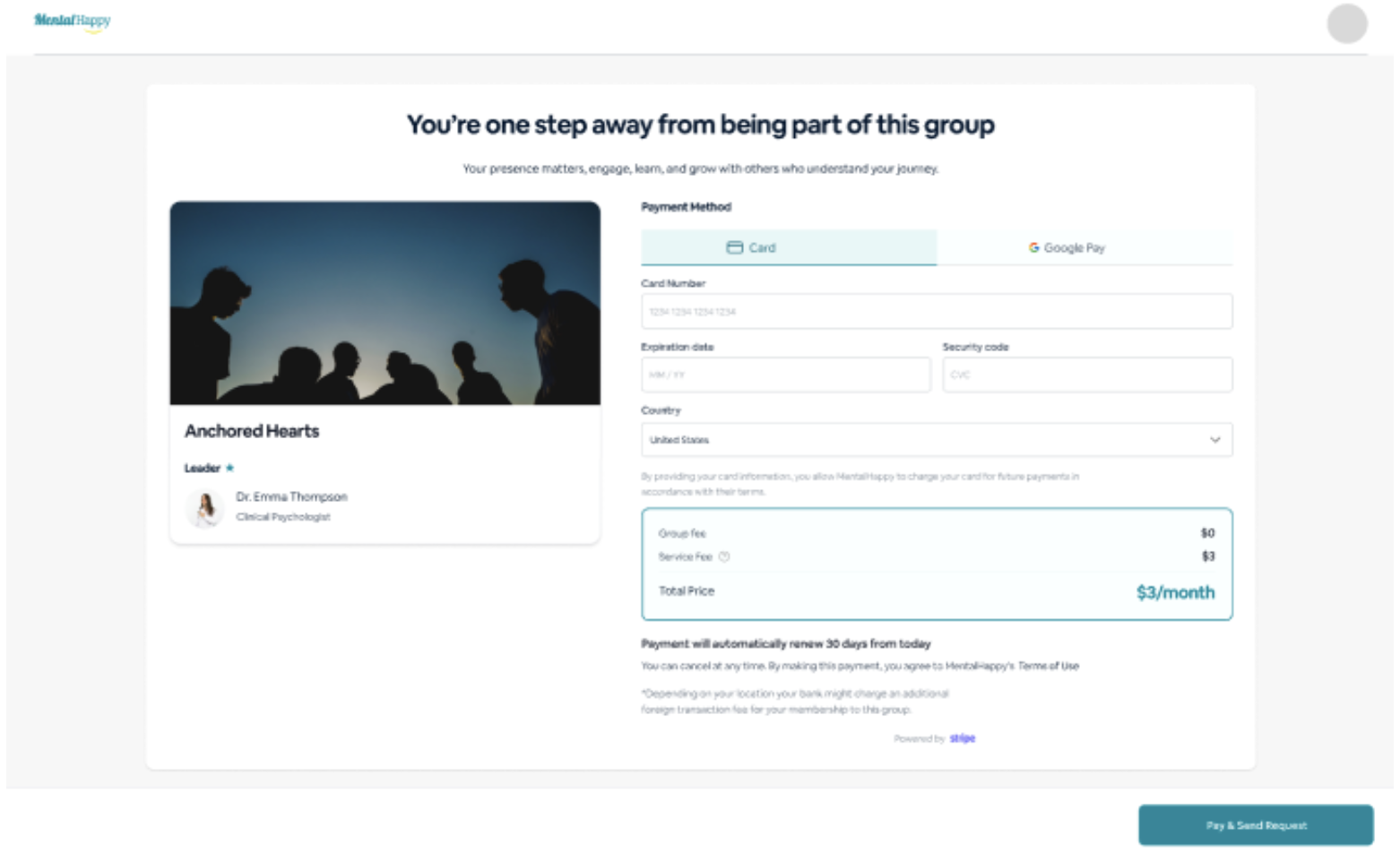
Complete Payment
What to do
- Enter payment details
- Confirm payment
What happens in the system
- Payment is processed securely
- You see a confirmation screen
5
Pricing Change Confirmation
What to know
A confirmation modal appears when pricing is updated. It explains how existing members are affected.
Always review pricing change details before confirming.
6
If Payment Fails
What to do
- Retry payment — no duplicate charges will occur
- Check your payment method details and try again
Part 2 What You Get After Payment
💬 Group Chat
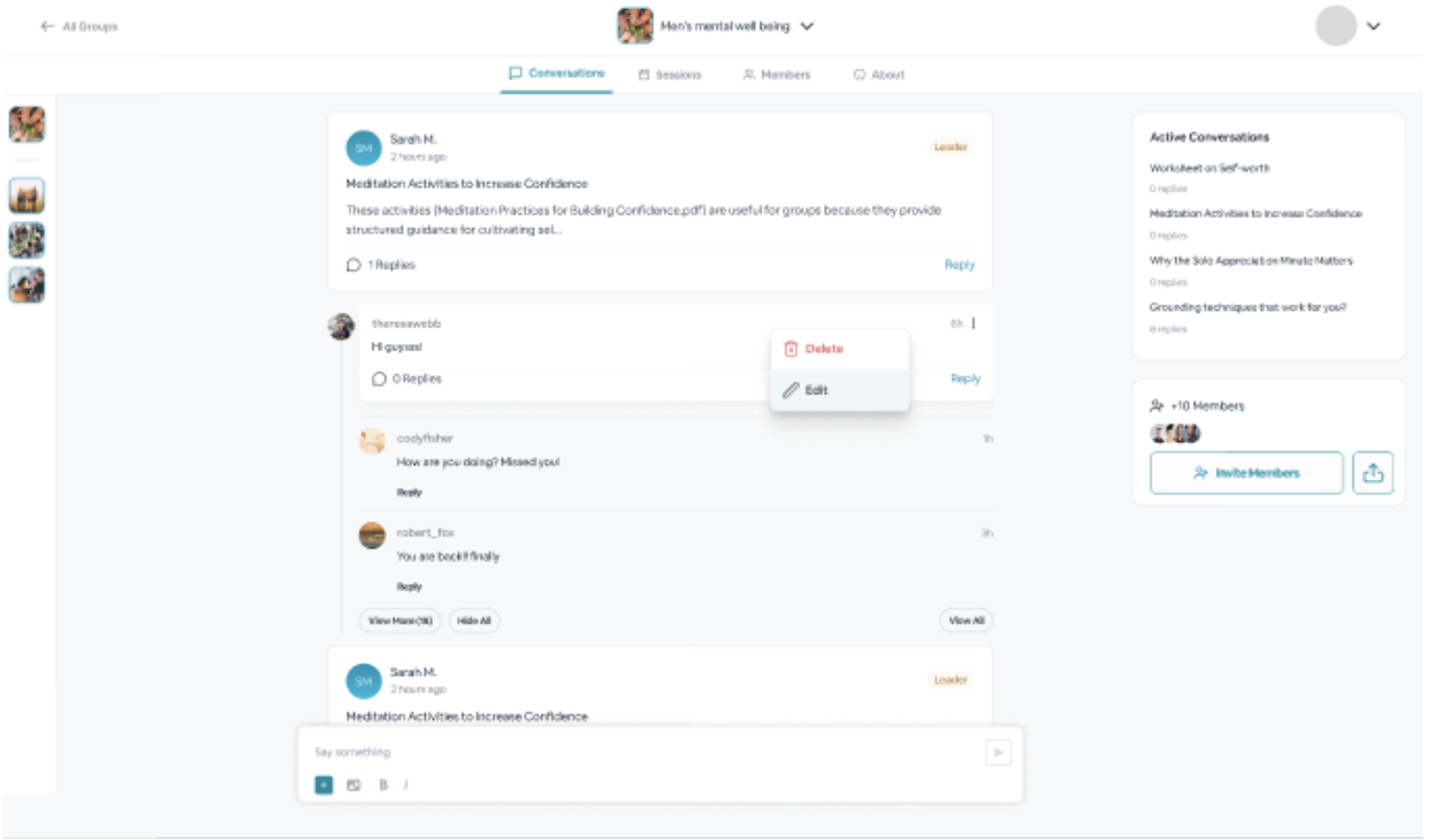
- Chat with members and leader
- No direct messaging
🎥 Live Sessions
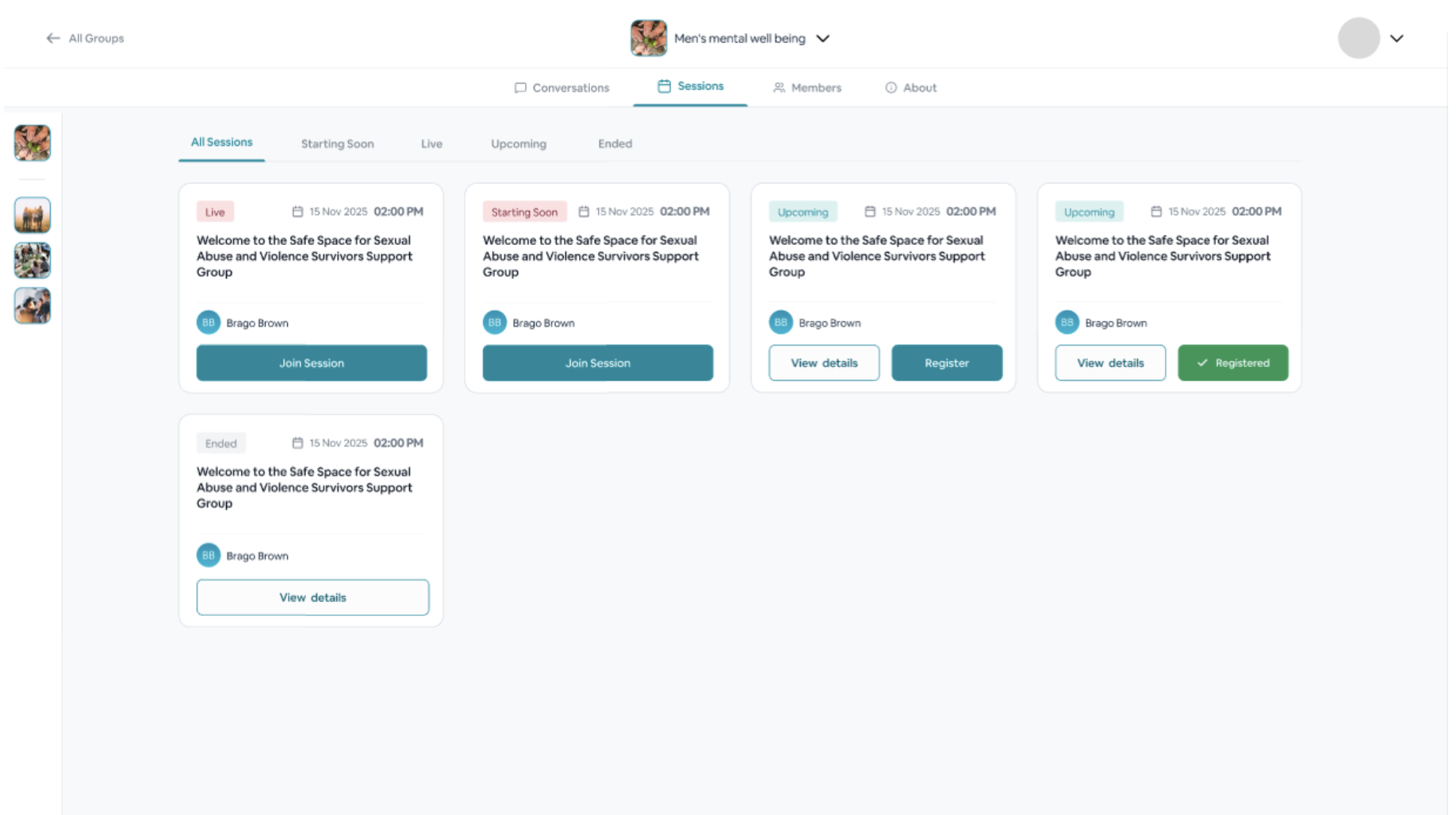
- Attend live sessions
- Get session reminders
📚 Resources & Activities
- Access shared materials
- Participate in discussions
- Polls and Q&A
Part 3 Manage Payments & Membership
Plan & Billing
Access via Profile → Plan & Billing
- Active memberships
- Payment history
- Payment method
Pause Membership
- Temporarily pause access
- Billing may pause
- May affect session access
Cancel Membership
- Stops future billing
- Access continues until billing period ends
- Cancel ≠ immediate removal
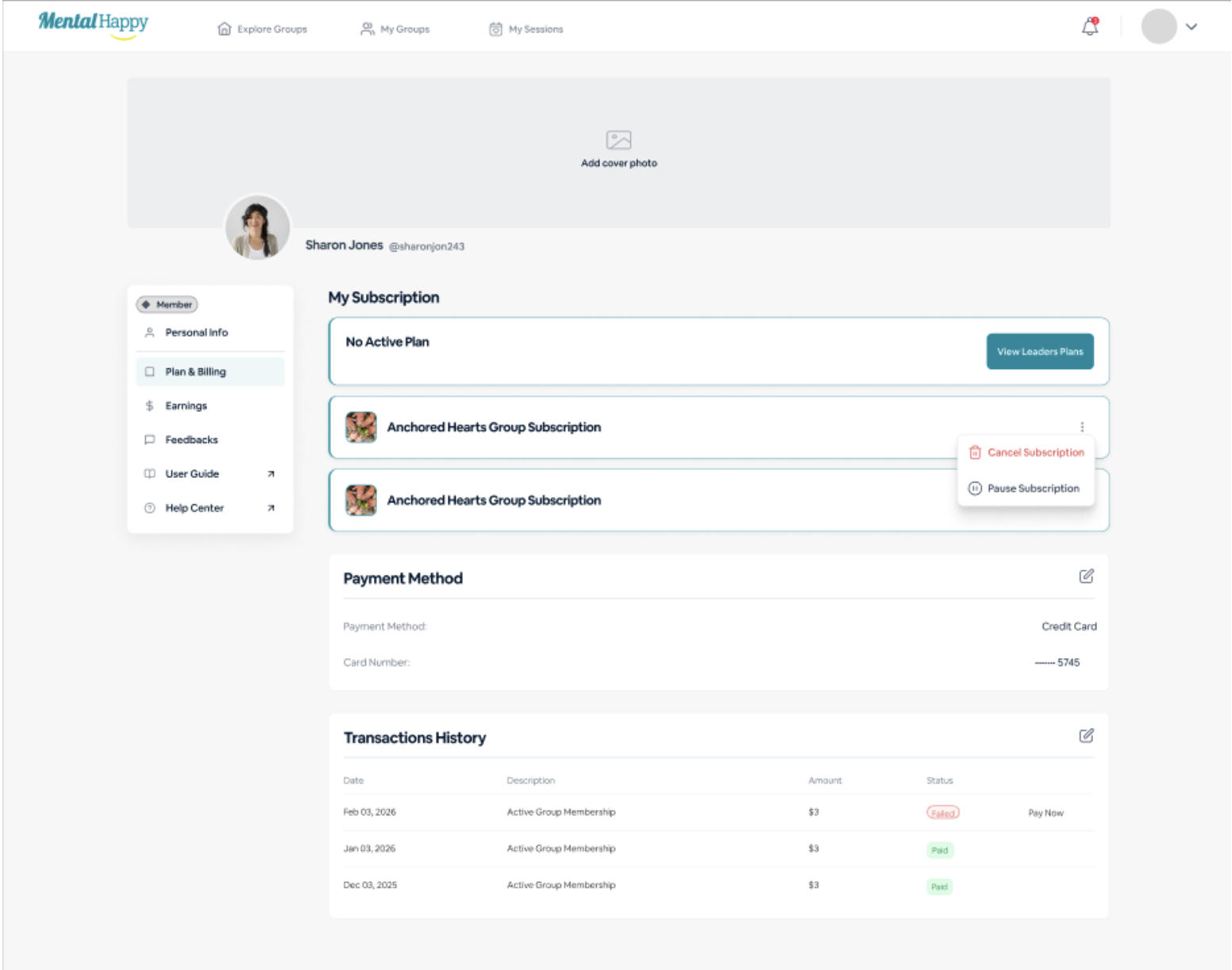
Important hidden logic: Cancelling does not remove access immediately — access continues until the end of the current billing cycle. Pausing may affect session access.
Part 4 Group Status Changes
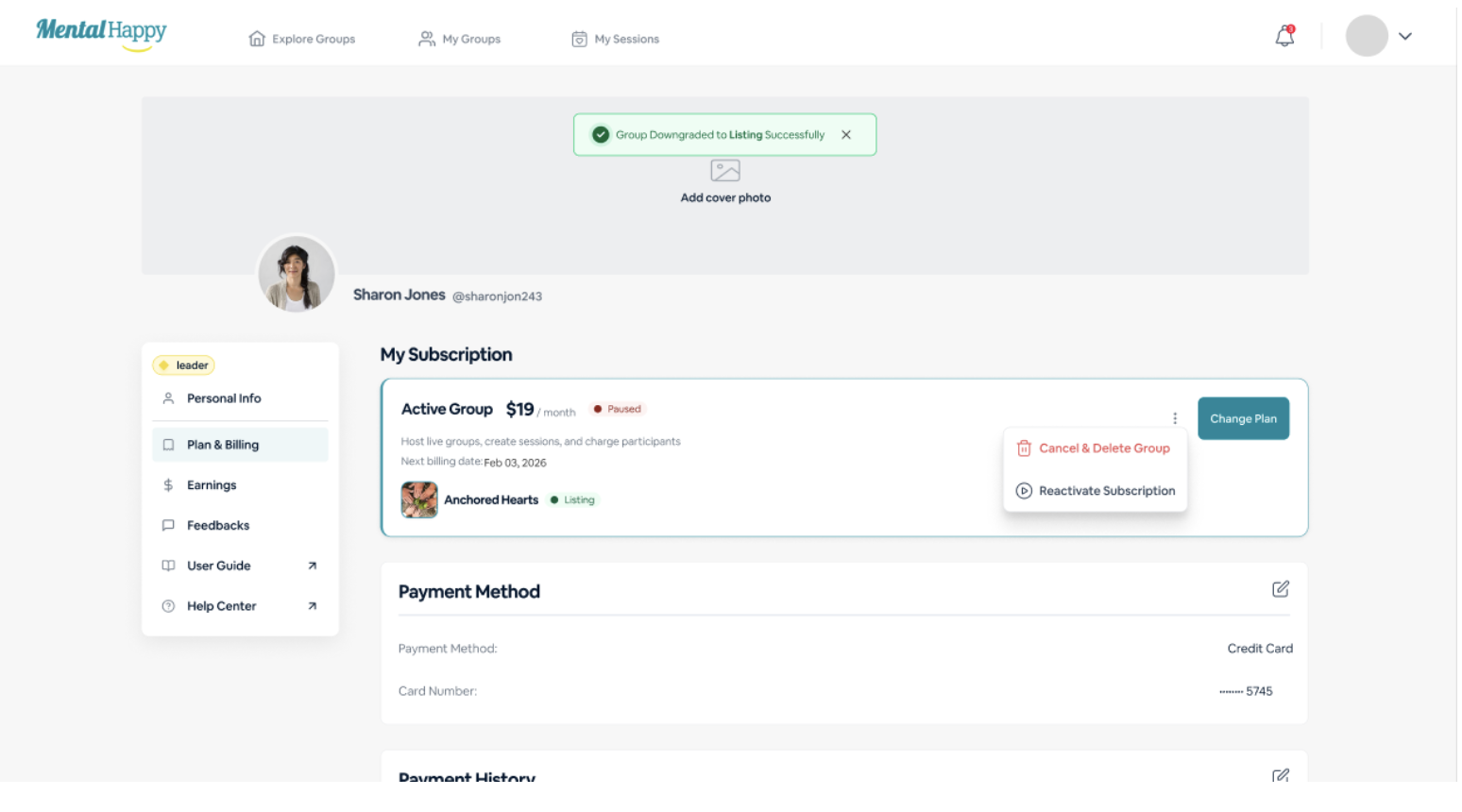
⬇️
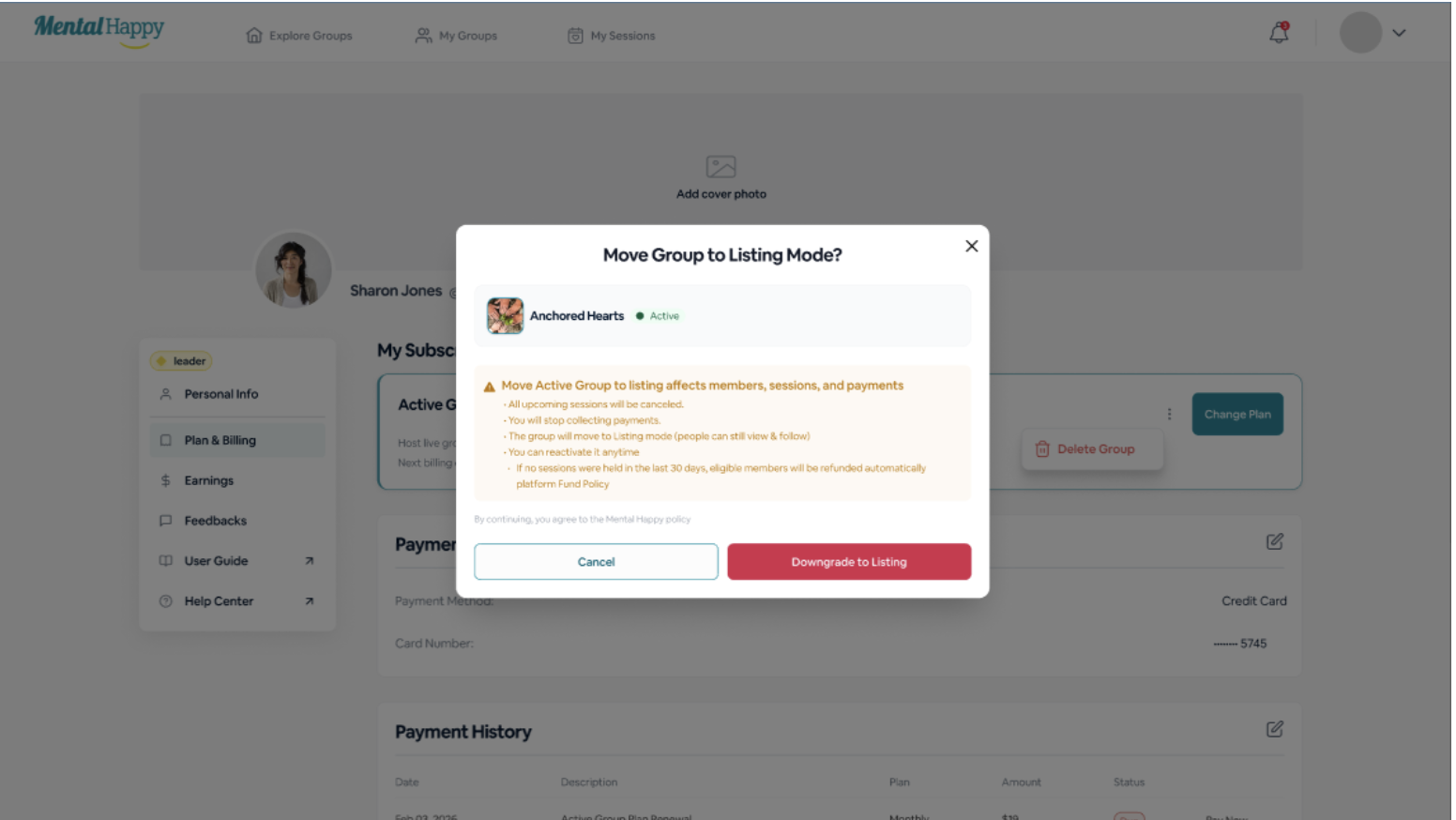
Group Downgraded to Listing Mode
What happens
- Payments stop
- Sessions are canceled
- Group becomes visible but inactive
- You can no longer attend sessions
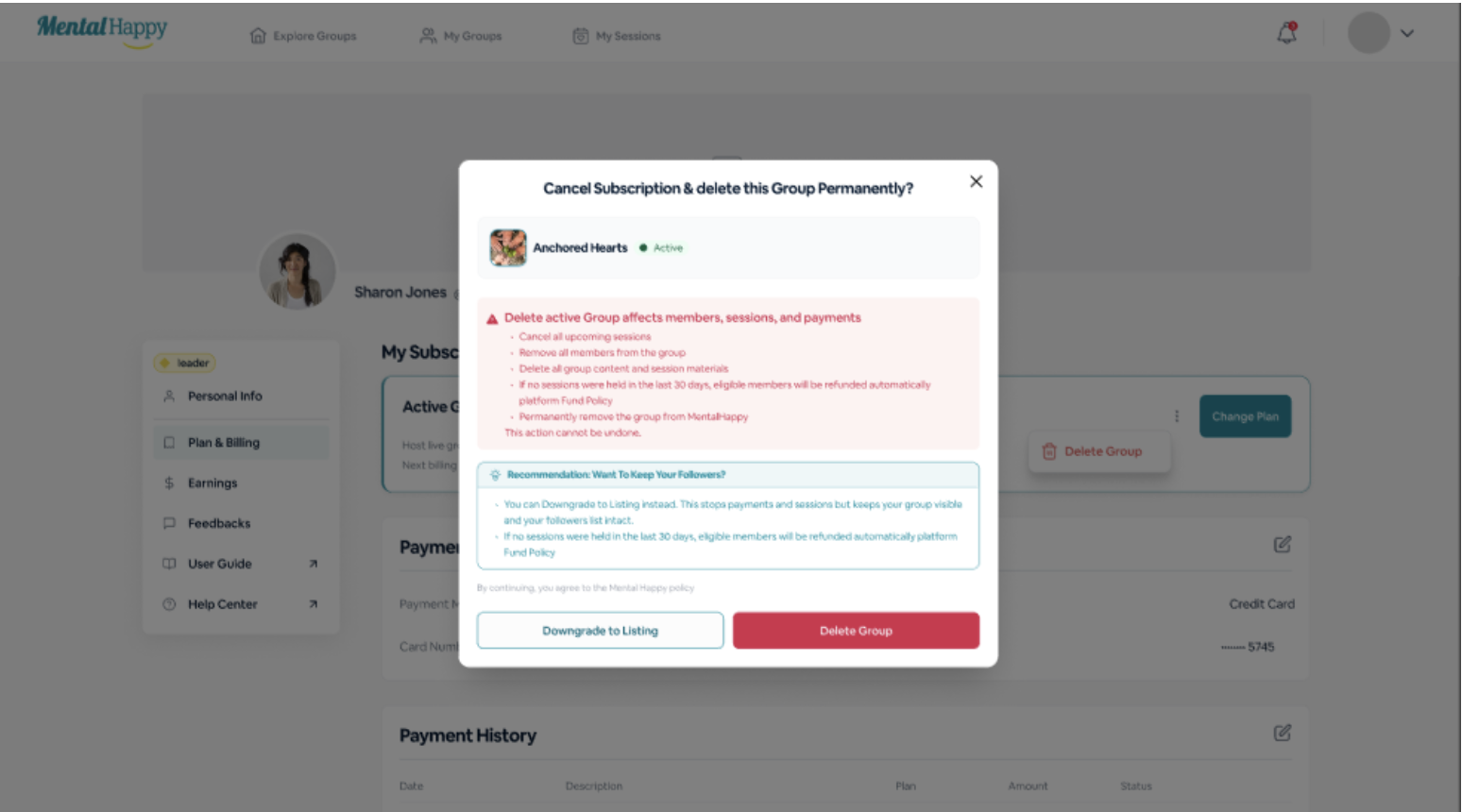
🗑️
Group Deleted
What happens
- All sessions are canceled
- Group content is removed
- Access is permanently lost
This cannot be undone.
↩️
Automatic Refunds for Inactive Groups
What happens
- The system may trigger automatic refunds
- You'll see a notification in the app
Part 5 Refund Policy & Fees
↩️ Refunds
- Managed by Group Leaders (not MentalHappy)
- Based on group activity, leader policies, and applicable laws
- Donation payments are non-refundable
- Inactive groups may trigger automatic refunds if eligible
Tip: Always review pricing and fees before joining a group to avoid surprises.
Part 6 Access Changes When Membership Ends
🚫 You Lose Access To
- Sessions
- Paid content and resources
👁 You May Still
- View limited group details
You can rejoin any group at any time from Explore Groups.
Key Points to Remember
📌 Summary
Groups can be free or paid
Pricing is set by the Group Leader
Access unlocks immediately after joining
Multiple pricing types exist
Platform fee ($3/month) is non-refundable
Inactive groups may trigger automatic refunds
Manage everything in Plan & Billing
Cancelling does not remove access immediately
Best Practices
✨ Recommendations
- Review pricing before joining any group
- Understand subscription vs one-time payment differences
- Monitor Plan & Billing regularly
- Pause instead of cancel if you're unsure about leaving
Troubleshooting
Payment failed
Retry payment — no duplicate charges will occur
Charged but no access
Refresh the app or log out and log back in
Group is inactive
Check your notification for refund details
Still charged after canceling
Check your billing cycle — access and billing continue until the period ends
Know what you're paying for 💜
Payments unlock your full support group experience — but access, billing, and refunds depend on group activity and membership status. Always review pricing, billing terms, and fees before joining.