Joining a Support Group
MentalHappy support groups are led by trusted Group Leaders and designed to help members connect, share, and grow in a safe, private space. There are two ways to join.
Overview
In this article, you'll learn how to:
- Join a group using an invite link
- Find and join groups from Explore Groups
- Understand your join status (Active vs Pending)
- Know what happens after joining
Before You Begin
- You must log in or create a MentalHappy account
- Groups may be Free or Paid
- Groups may be Open (instant join) or Approval-based (Request to Join)
- You can Follow a group before committing to join
End-to-End Flow
1 Join via Direct Invitation (URL Flow)
Open the Invite Link
Click or tap the invite link shared via email, SMS, or notification.
- You enter the Invite (URL) onboarding flow
- Group preview or onboarding screens appear
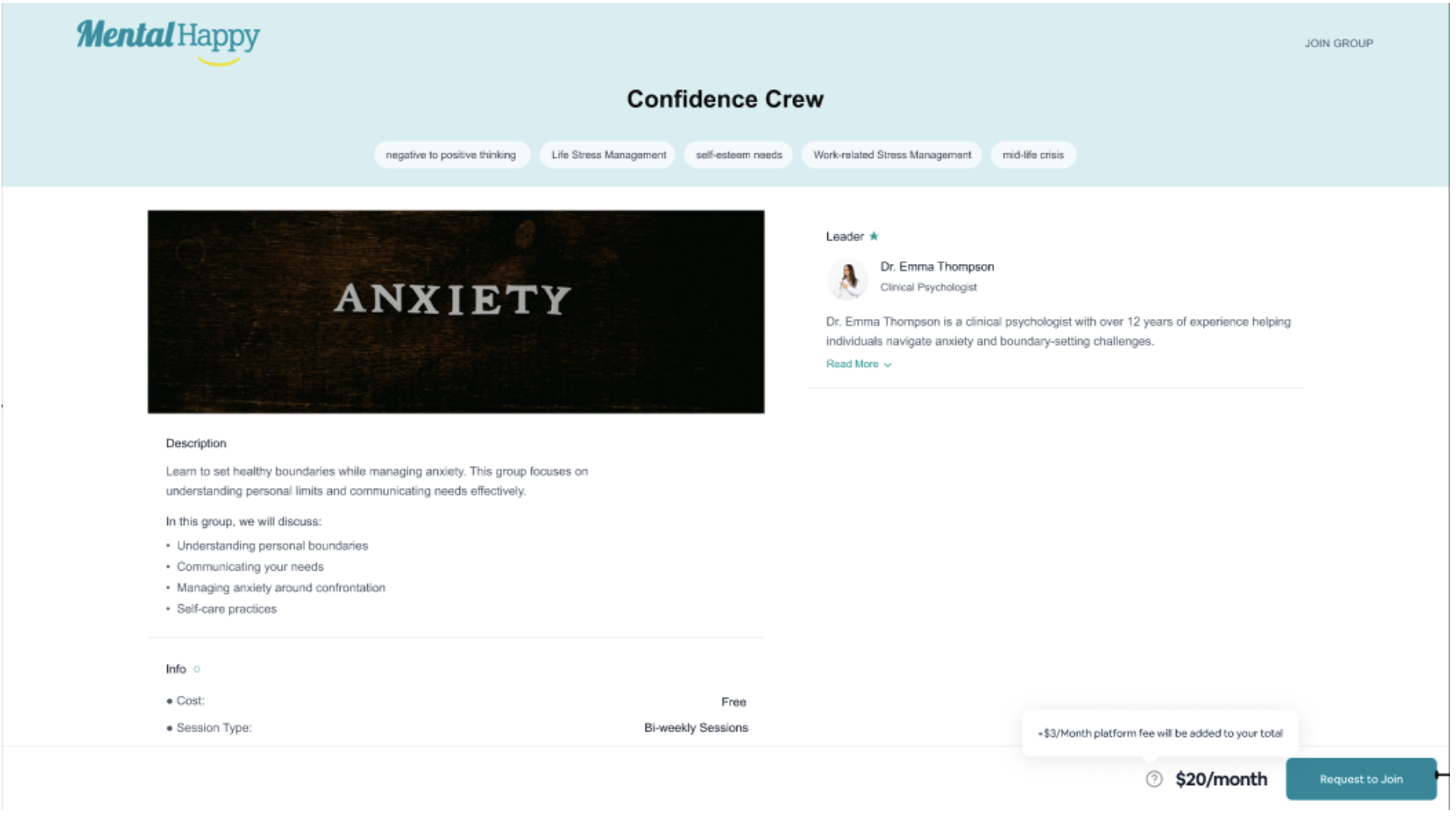
Log In or Sign Up
Sign in or create your MentalHappy account.
- Your account is verified and linked to the group
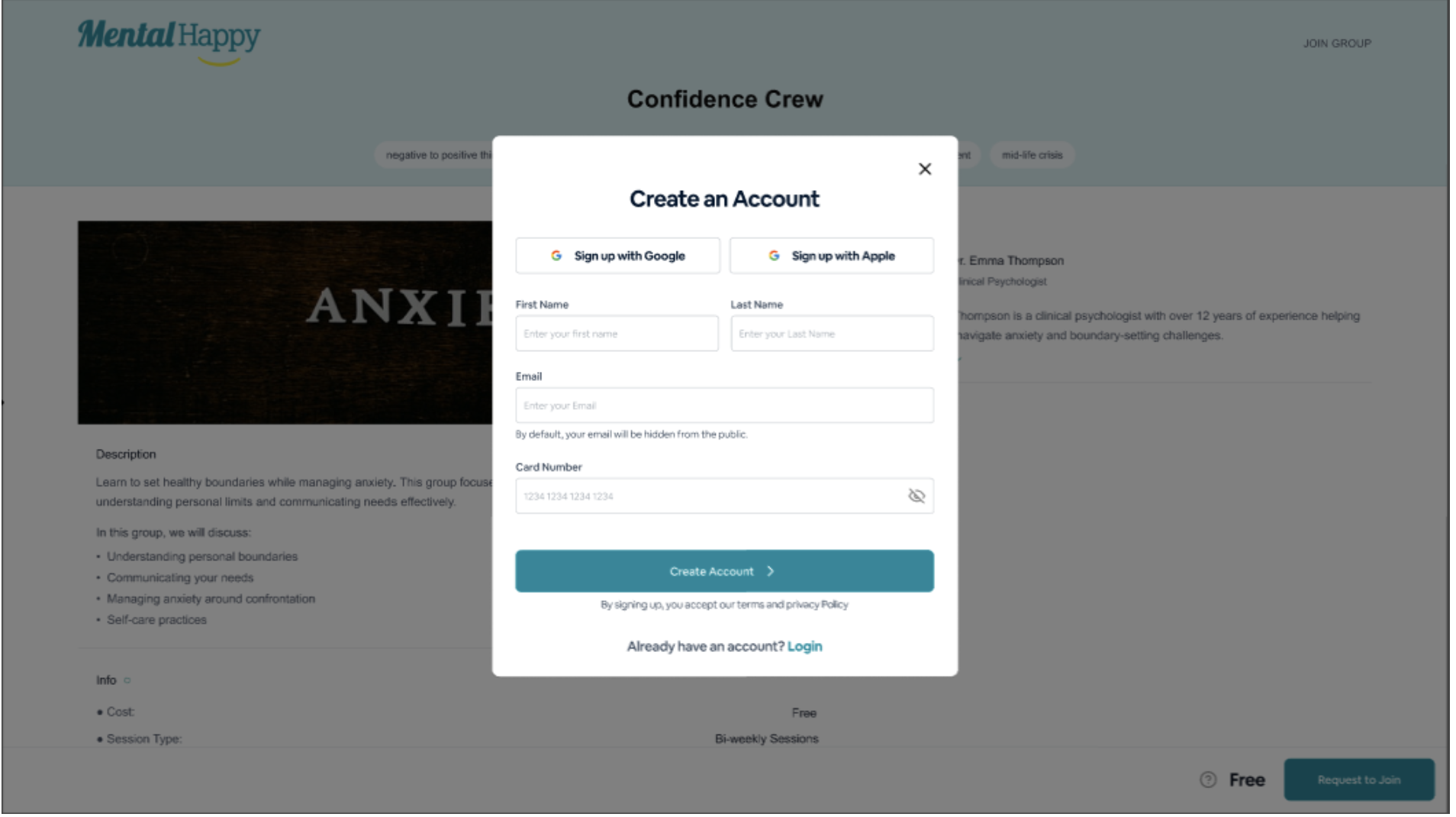
Complete Onboarding
Follow the onboarding steps.
- Setup completes and you are redirected to the group
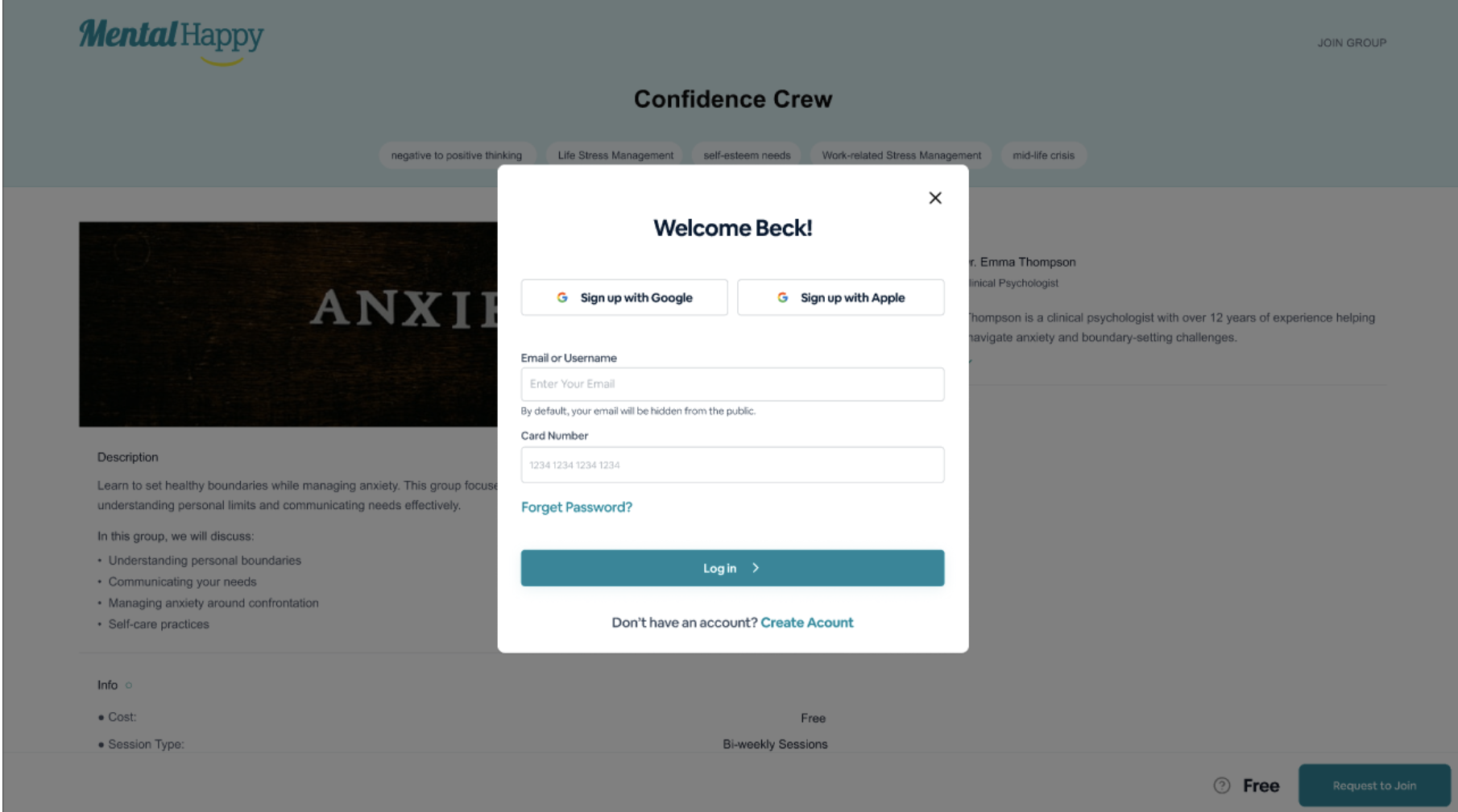
Review the Group
Check the group name & description, Group Leader, and pricing (Free / Paid).
- The Group Detail Page is displayed
Request to Join or Join Group
Click Request to Join or Join Group.
- Open group → Instant join
- Approval-based → Status set to Pending
- Paid group → Checkout required before joining
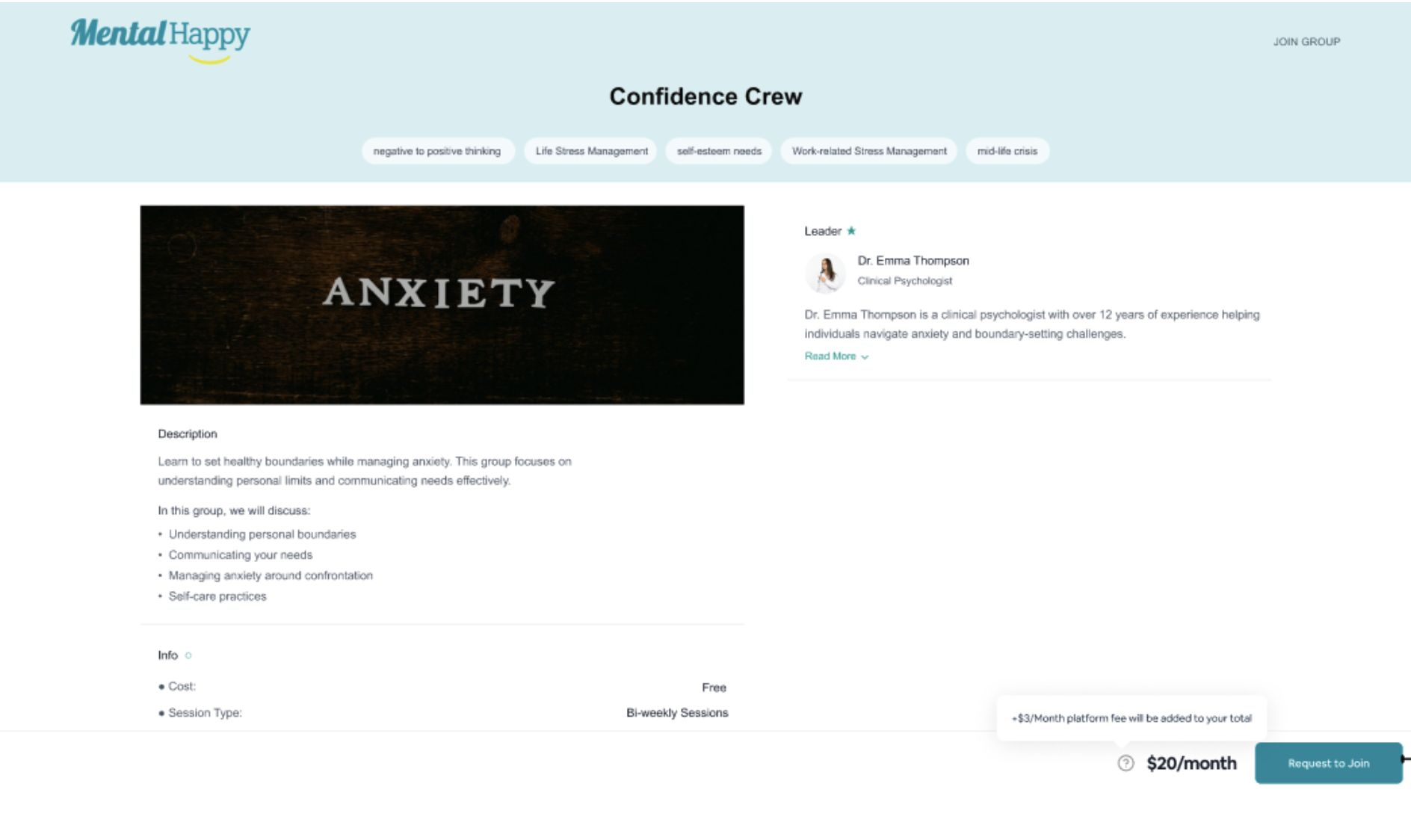
What happens next
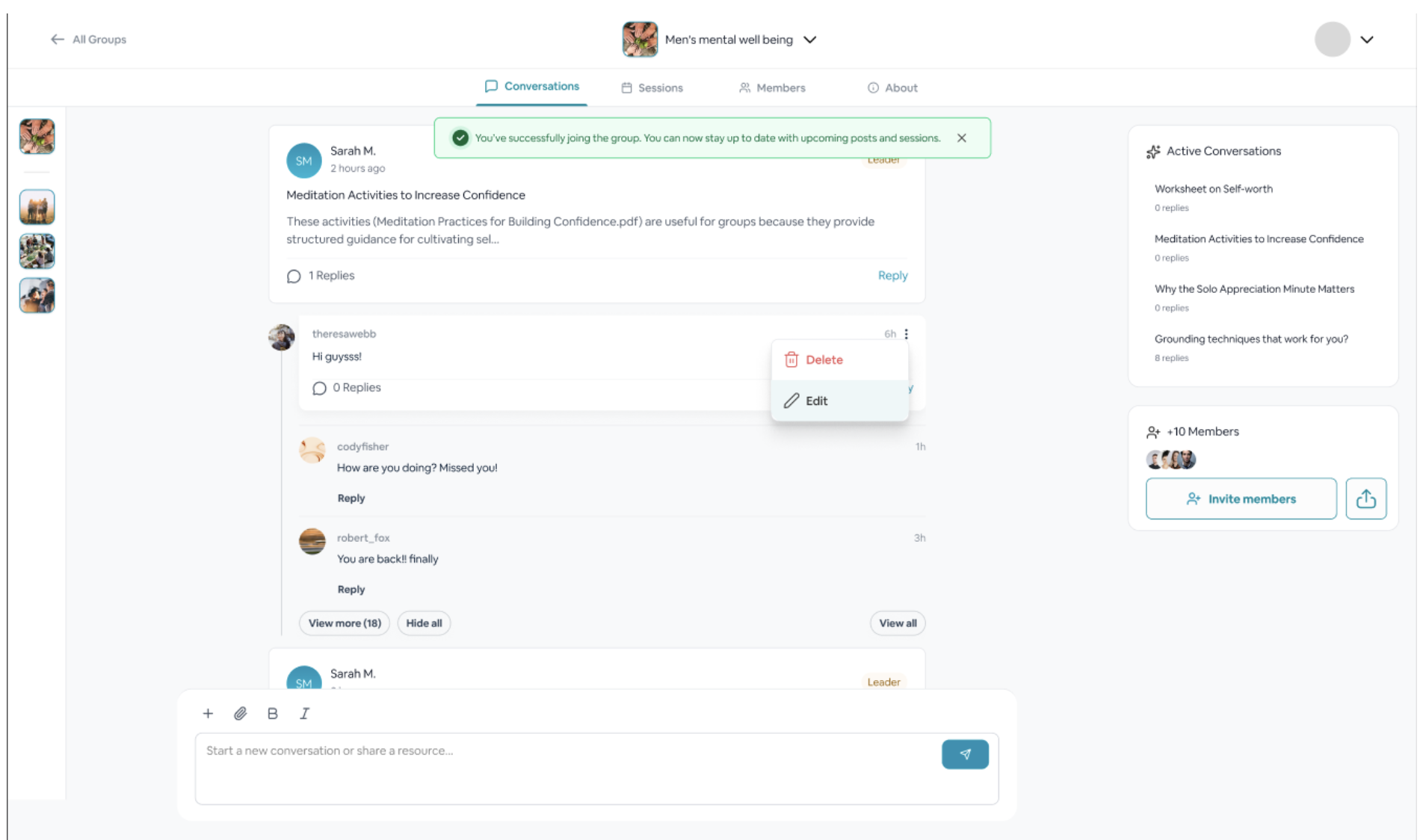
- A confirmation message appears
- Your status becomes either ✅ Active Member or ⏳ Pending
2 Find & Join Groups from Explore Groups
Go to Explore Groups
Click Explore Groups from the main navigation.
You'll see group cards, a search bar, filters, and the following tabs:
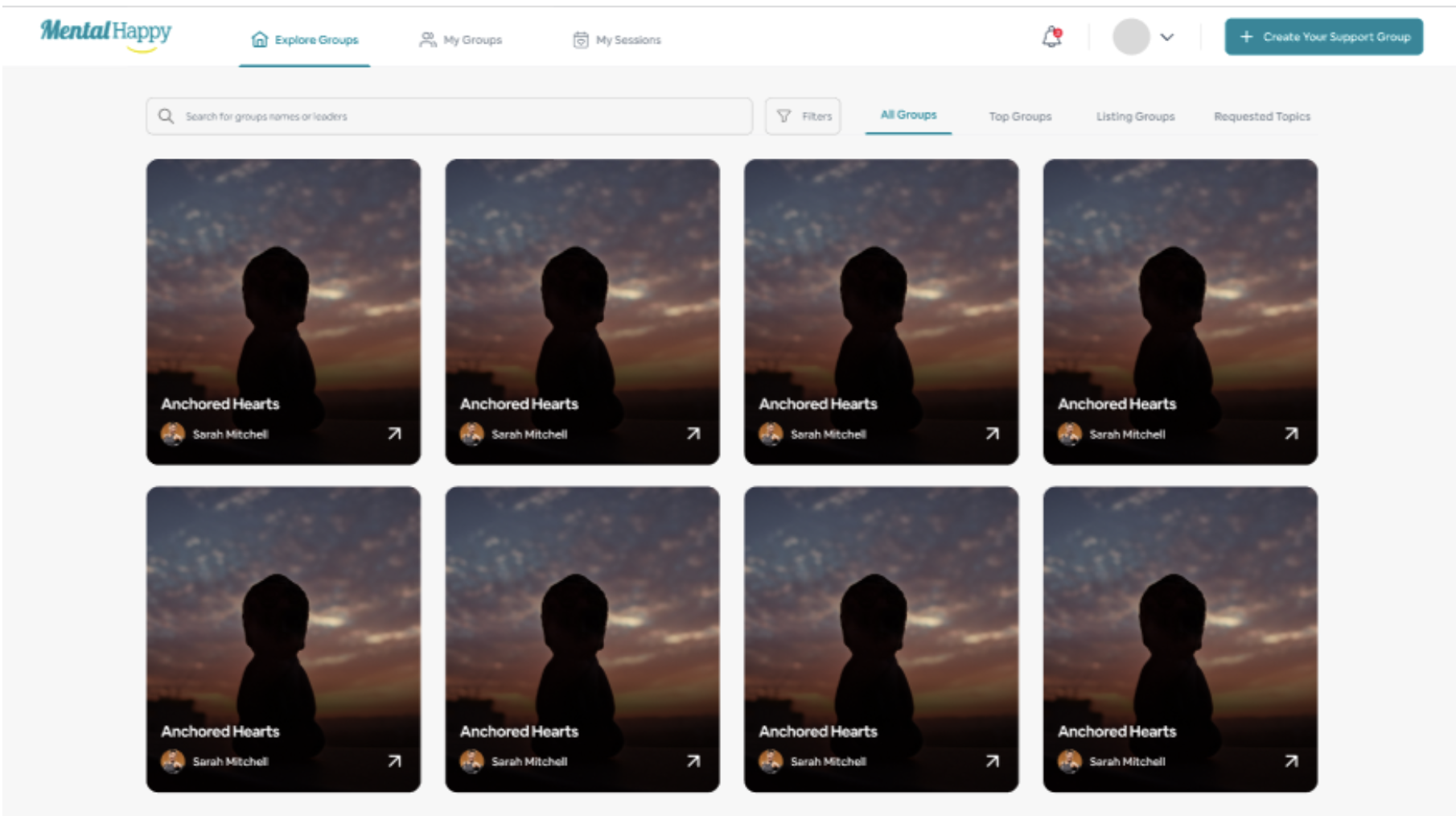
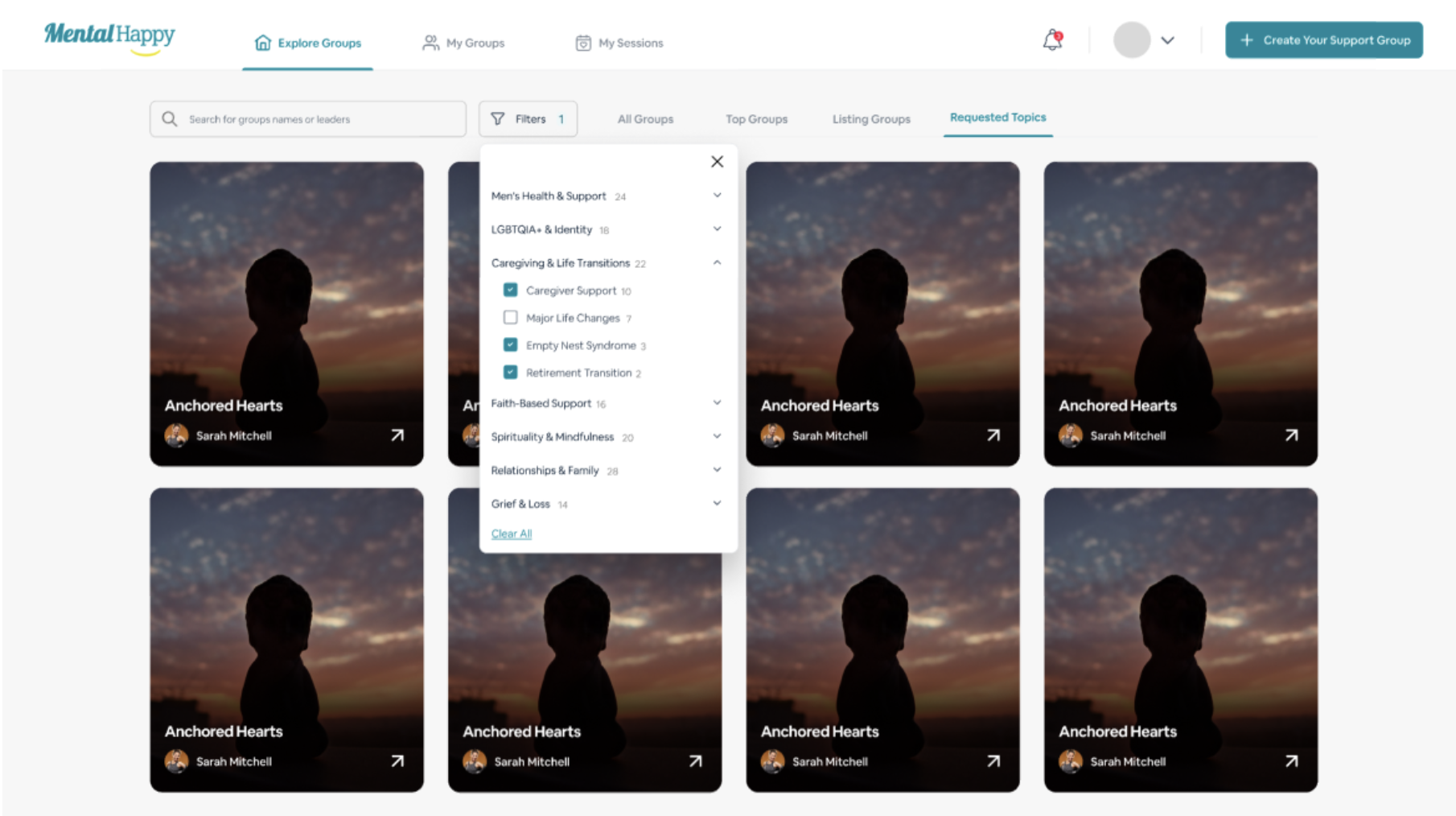
Search or Filter
Use keywords such as anxiety, burnout, grief to narrow results.
- Results update instantly as you type
Open a Group
Click a group card to open it.
- The Group Detail Page opens with full description and session info
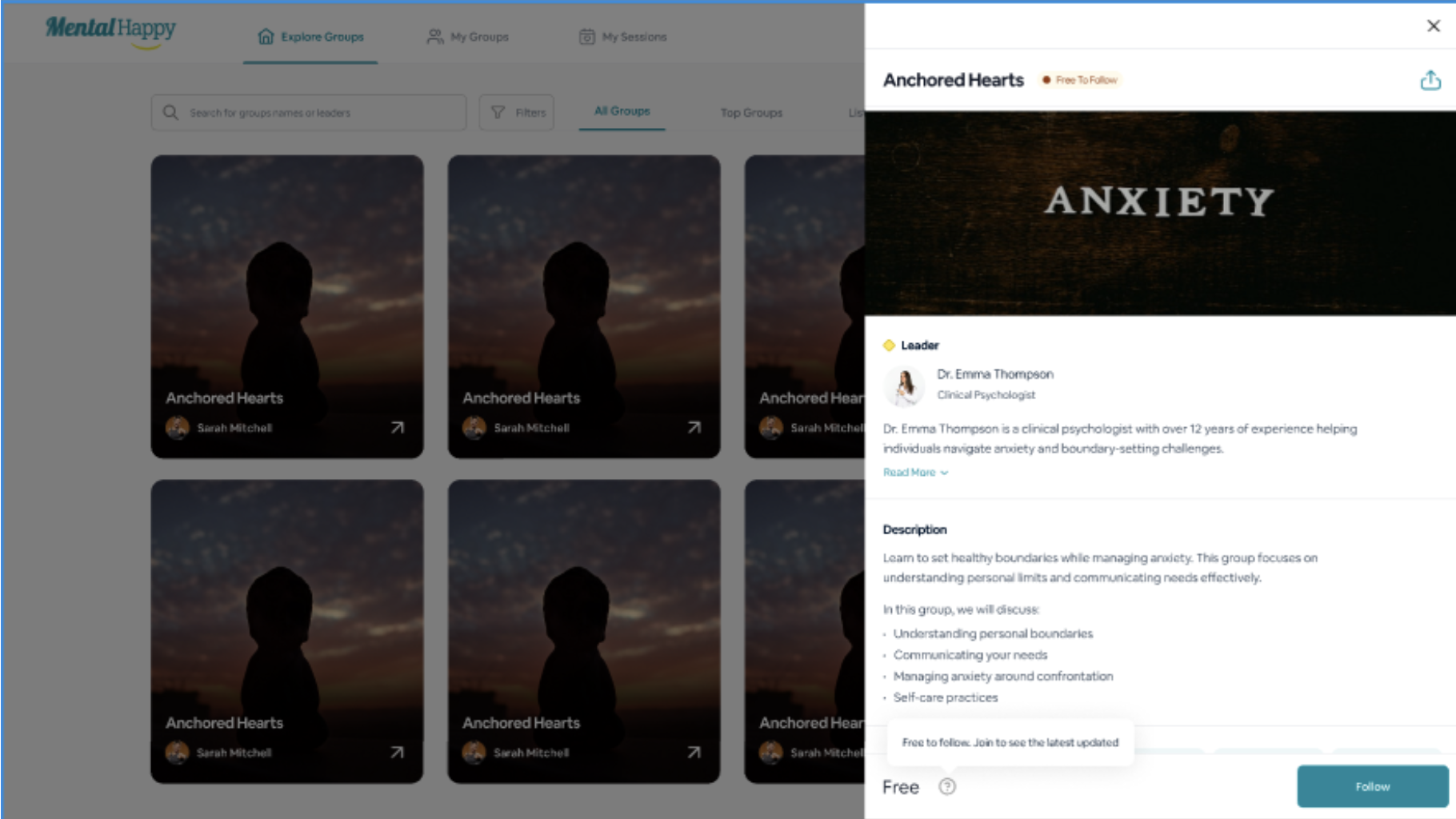
Follow or Join
Click Follow or Join Group / Request to Join.
- Follow → Group added to your followed list
- Join → Membership process begins
What happens next
- Follow → Updates only, no session access
- Join → Full access after approval / payment
3 Group Access & Status
4 After You Join
What you can do as a Member
- Access the group page and view announcements
- Attend virtual sessions listed in the calendar
- Participate in group discussions
- Access pinned resources shared by your Group Leader
Notifications
- You'll be notified when approved into a group
- RSVP to sessions to receive reminders
- Push and email alerts available — adjust in app settings
5 Leave a Group
You're free to leave any group at any time.
Open Group Settings
Go to the group page and open Settings.
Select Leave Group
Click Leave Group.
- You are removed from the group
- Access to sessions and chat is revoked
Important Notes
- Listing Groups are free groups you can join without payment
- Active Groups are paid groups that require payment to access sessions
- Following does not give session or chat access
- Joining is required for full participation
Followers vs Members
Followers Free
- Stay updated on group activity
- No access to sessions or chat
- No participation rights
Members Active
- Attend sessions and participate
- Access group chat
- View pinned resources
Best Practices
- Read group details before joining — check Free vs Paid and approval requirements
- Follow first if you're unsure about committing
- Choose groups that fit your schedule and topics you care about
- Join slightly early before sessions fill up
Common Mistakes
- Thinking Follow = Join — following does not grant session access
- Not completing payment for paid groups
- Expecting instant approval from approval-based groups
- Skipping group details before joining
Troubleshooting
Joining a group is your first step toward meaningful support. Explore, follow, and join the right group when you're ready — there's no rush.