Your First Steps After Joining
You're in — now what? This guide walks you through how to introduce yourself, register for your first session, and stay connected using the MentalHappy app.
Overview
Welcome to your MentalHappy support group! 🎉 This quick guide will help you connect and participate right away. You can access your group from both the MentalHappy mobile app and website.
In this article, you'll learn how to:
- Introduce yourself in the group chat
- Register for your first session
- Stay connected using the mobile app
Before You Begin
- You must be logged into your MentalHappy account
- You must Join a group as a Member to participate
- Followers can view updates but cannot chat or join sessions
End-to-End Flow
1 Say Hello in the Group Chat
Open Conversations
Go to your group page and tap/click Conversations.
- The group chat opens
- You can see messages from other members
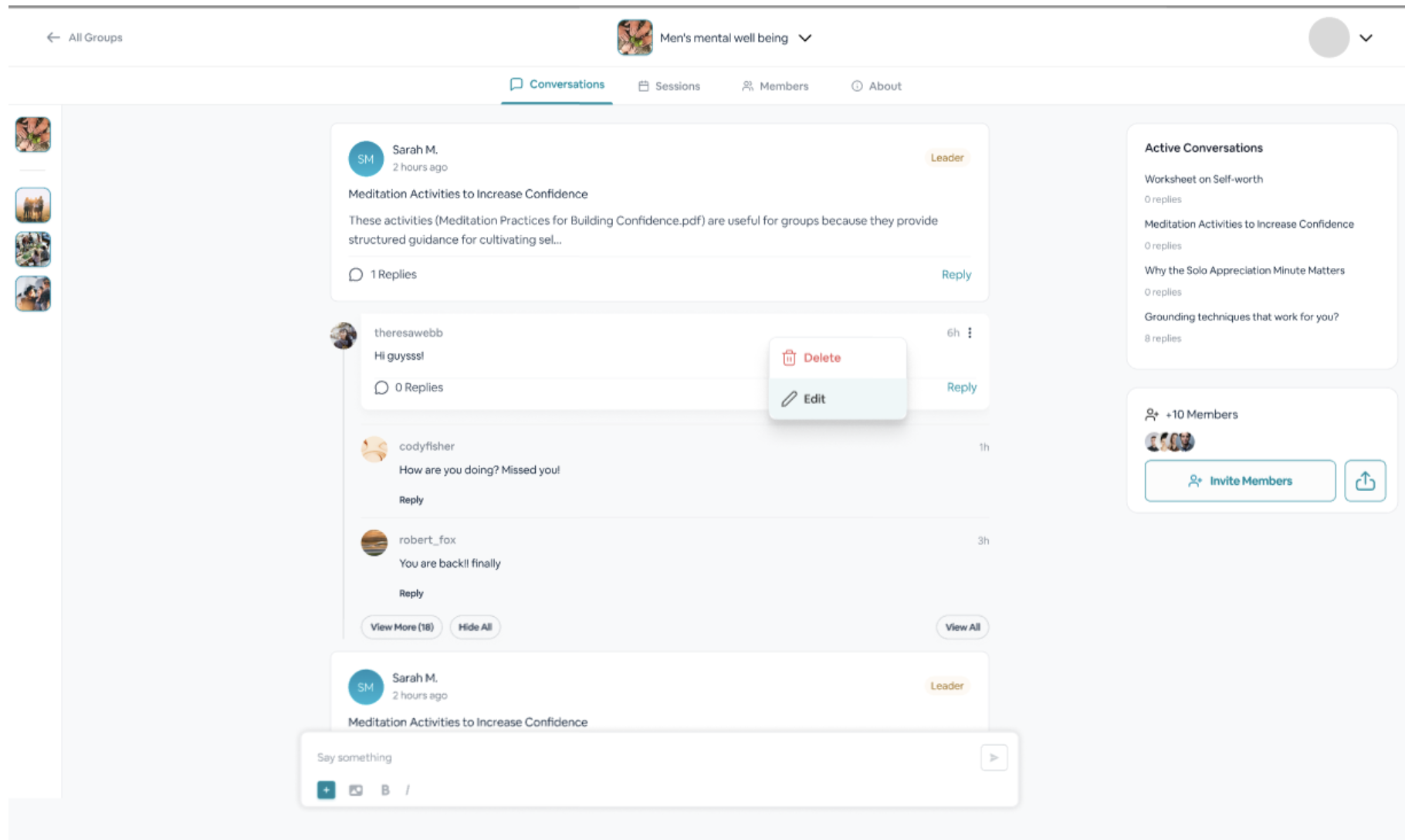
Post Your Introduction
Share a short message to introduce yourself. Here are a few ideas:
- "Hi everyone! I'm new here and looking forward to connecting 😊"
- "Hello, I'm [Your Name]. I joined to find support and offer it too."
- Your message is visible to other members
- You can start interacting in the group
What happens next
- You begin connecting with members
- You can read and respond to conversations
2 Register for Your First Session
Find a Session
Go to the Events or Upcoming Sessions section (available on both the app and website).
- You see a list of upcoming sessions for your group
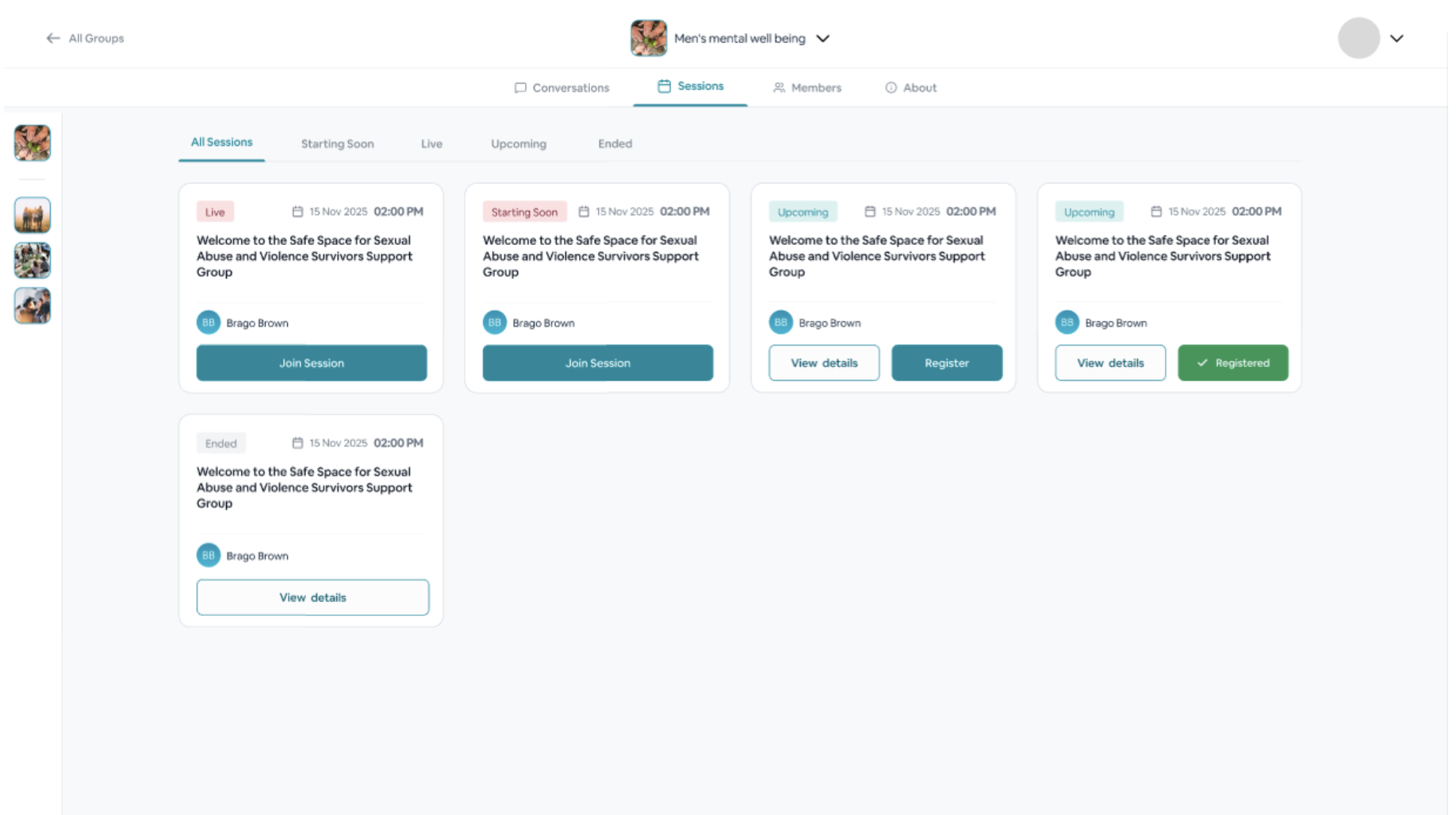
Register
Select a session and click Register or Join Session.
- Your spot is reserved
- You receive reminders before the session starts
Join the Session
At the scheduled time:
- App → Tap Join
- Website → Click Join in your browser
- You enter a live video session led by the Group Leader
What to expect
- Sessions are typically 30–90 minutes
- You can share or just listen — it's entirely up to you
3 Download the MentalHappy App
Install the App
Log In
Log in using your existing MentalHappy account credentials.
- Your groups and sessions sync automatically
Why use the app?
- Real-time chat access
- Instant session reminders
- Easy session joining from your phone
Important Notes
- Members can chat, join sessions, and participate fully
- Followers can only view updates but cannot interact
- You must Join a group to fully participate
Best Practices
- Introduce yourself early to feel more comfortable
- Register for sessions in advance
- Start with listening if you're unsure
- Use the app for better engagement and reminders
Common Mistakes
- Trying to chat without joining the group (following is not enough)
- Missing sessions due to not registering in advance
- Not enabling notifications on the app
Troubleshooting
Take your time — there's no rush. Saying hello, joining a session, and installing the app will help you feel right at home. We're glad you're here.