Requested Topics: Share What You Want to Talk About
Use Requested Topics to discover trending support needs, see what other participants are looking for, and suggest your own topics to help shape future sessions.
Overview
The Requested Topics feature lets you share what you'd like to discuss in a support group. From a participant's perspective, you can discover groups through Explore Groups, view trending needs in the Requested Topics tab, and follow or join groups to suggest topics.
This helps Group Leaders plan sessions based on what members actually need.
In this article, you'll learn how to:
- Find topics using Explore Groups
- See what others are requesting
- Request your own topic
- Understand how topics influence sessions
Before You Begin
- You must be logged into your MentalHappy account
- You can explore topics without joining a group
- Some groups may require you to Follow or Join before requesting topics
- Topic requests are reviewed by the Group Leader
End-to-End Flow
1 Discover Requested Topics from Explore Groups
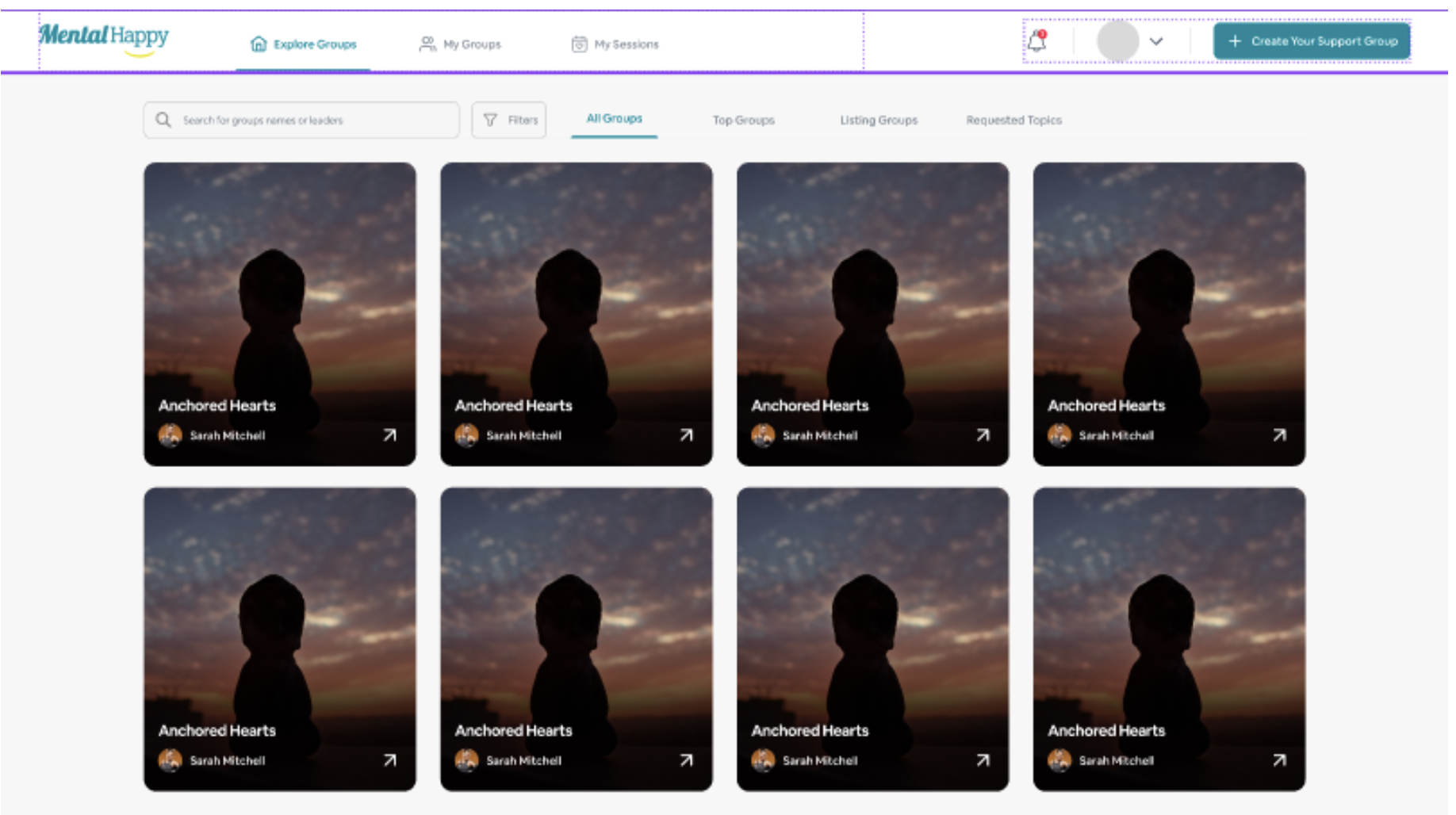
Go to Explore Groups
Click Explore Groups from the main navigation. Browse or search for groups based on your interest.
You will see group cards, a search bar, filters, and the following tabs:
Open the Requested Topics Tab
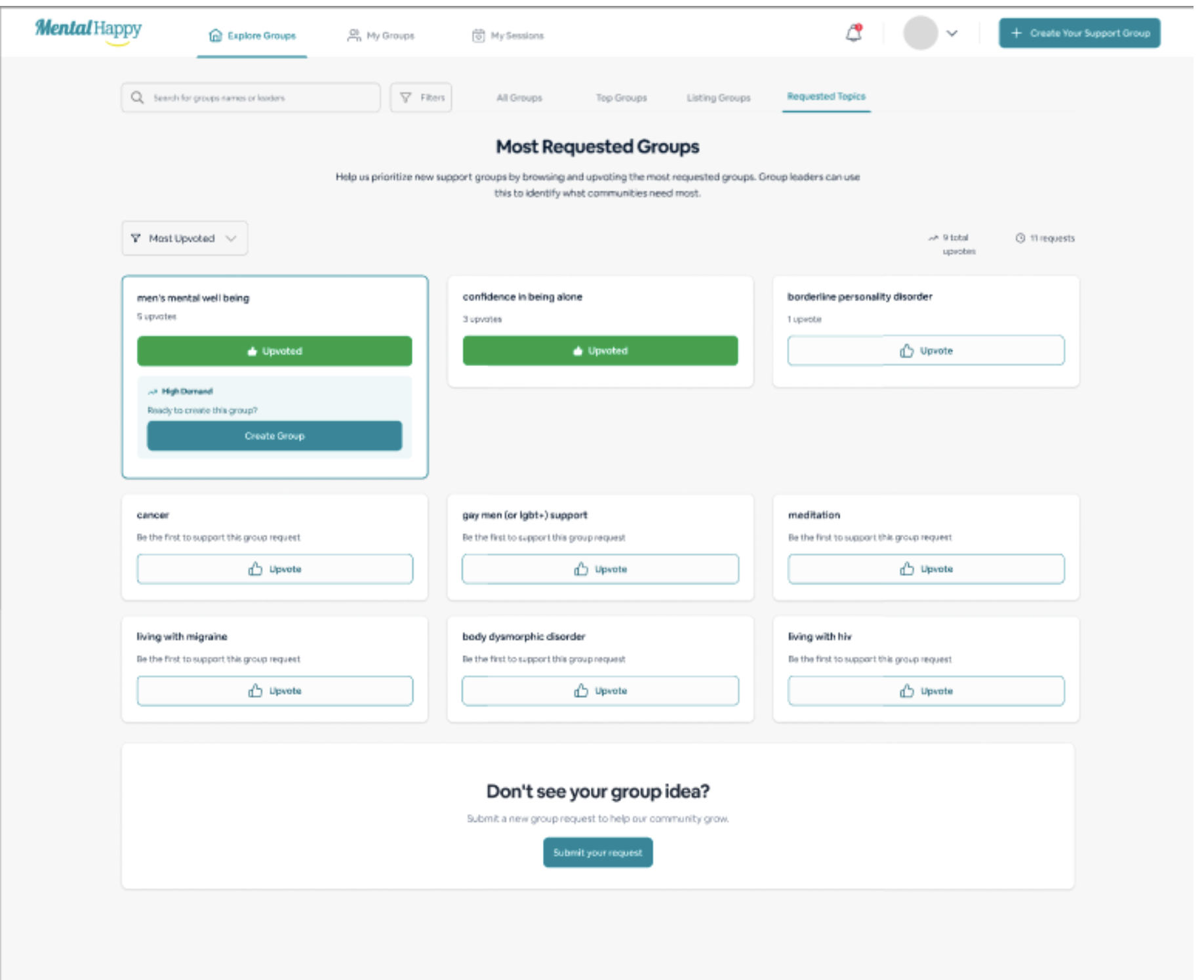
Click the Requested Topics tab.
- Most requested topics are displayed
- Trending support needs are surfaced
- Related groups are shown alongside each topic
2 View and Explore Topic Requests
Browse Requested Topics
Scroll through the list of topics.
- Topic names are listed
- Popularity indicators show demand level
- Related groups are displayed alongside each topic
What happens next
- Explore related groups
- Follow or join groups that match your interest
3 Follow or Join a Group
Open a Group
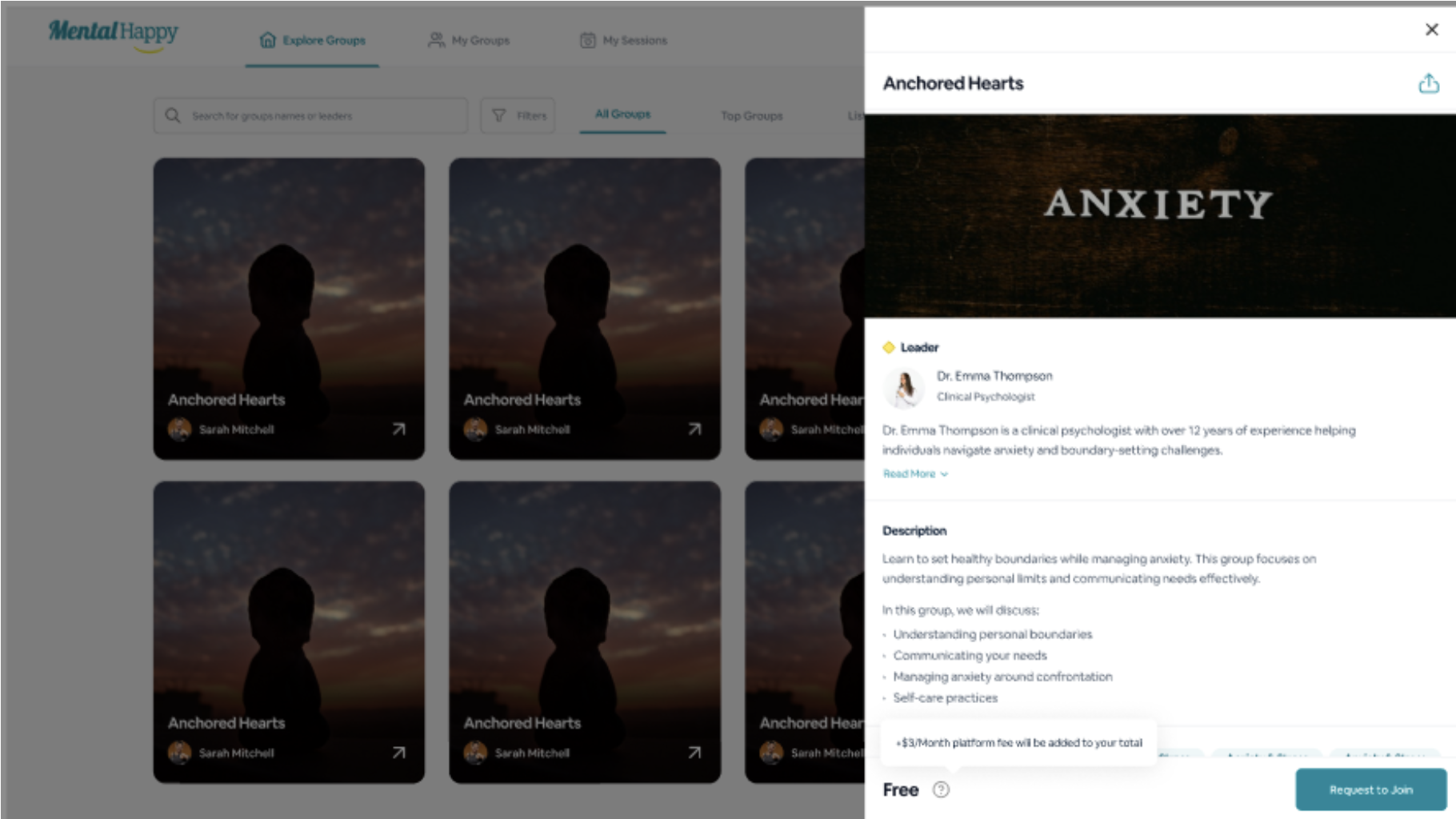
Click on a group card.
- The group page opens with its description and Group Leader
- Pricing (Free / Paid) and session details are displayed
Choose Follow or Join
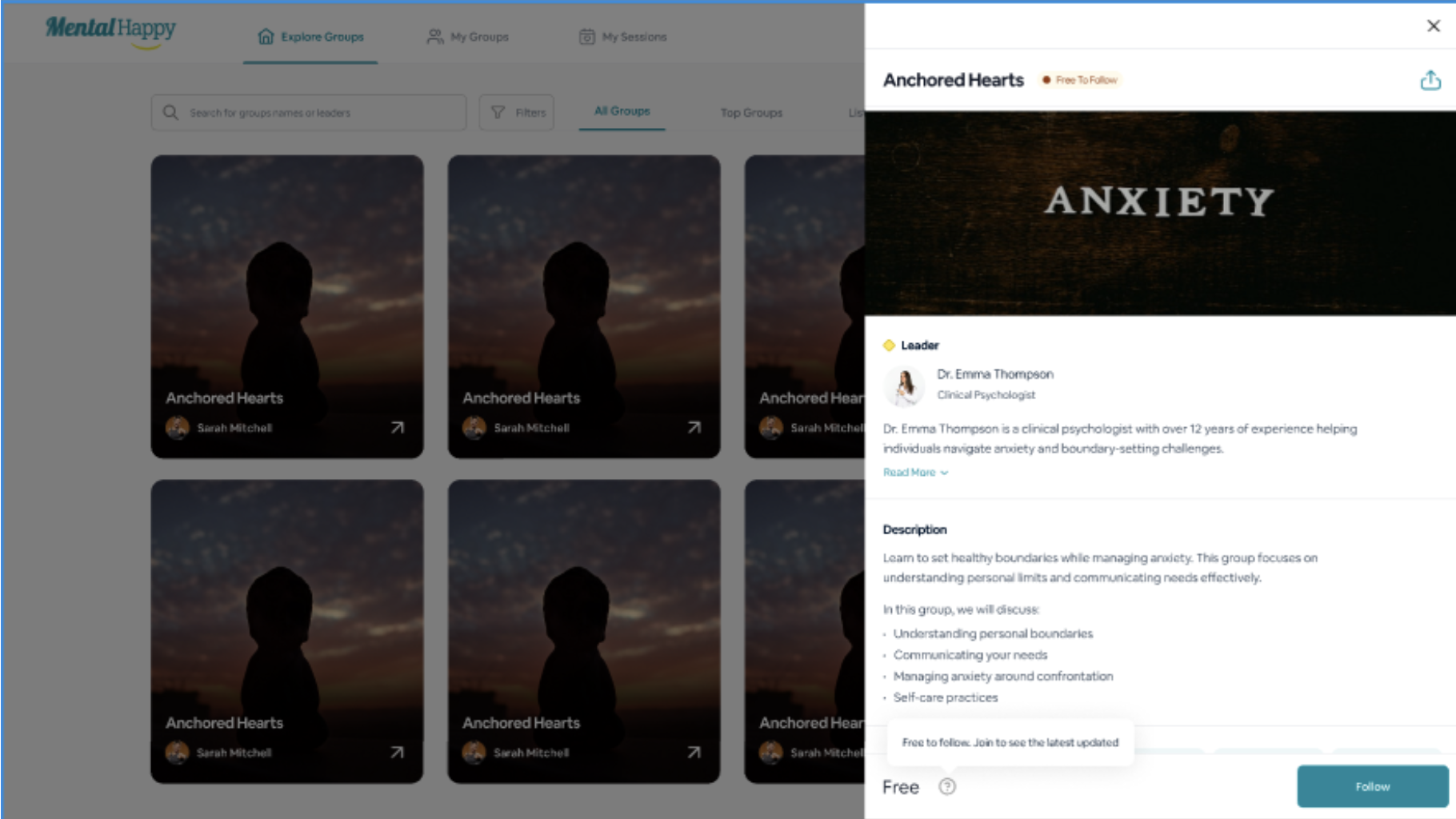
Click Follow or Join Group.
- Follow: You receive updates from the group
- Join Group: You become a member (may require payment for paid groups)
What happens next
- Follow → Stay updated on group activity
- Join → Participate fully and request topics
4 Request a Topic
Go to the Requested Topics Section
Navigate to the Requested Topics section inside a group or via Explore.
- Existing topic requests are displayed
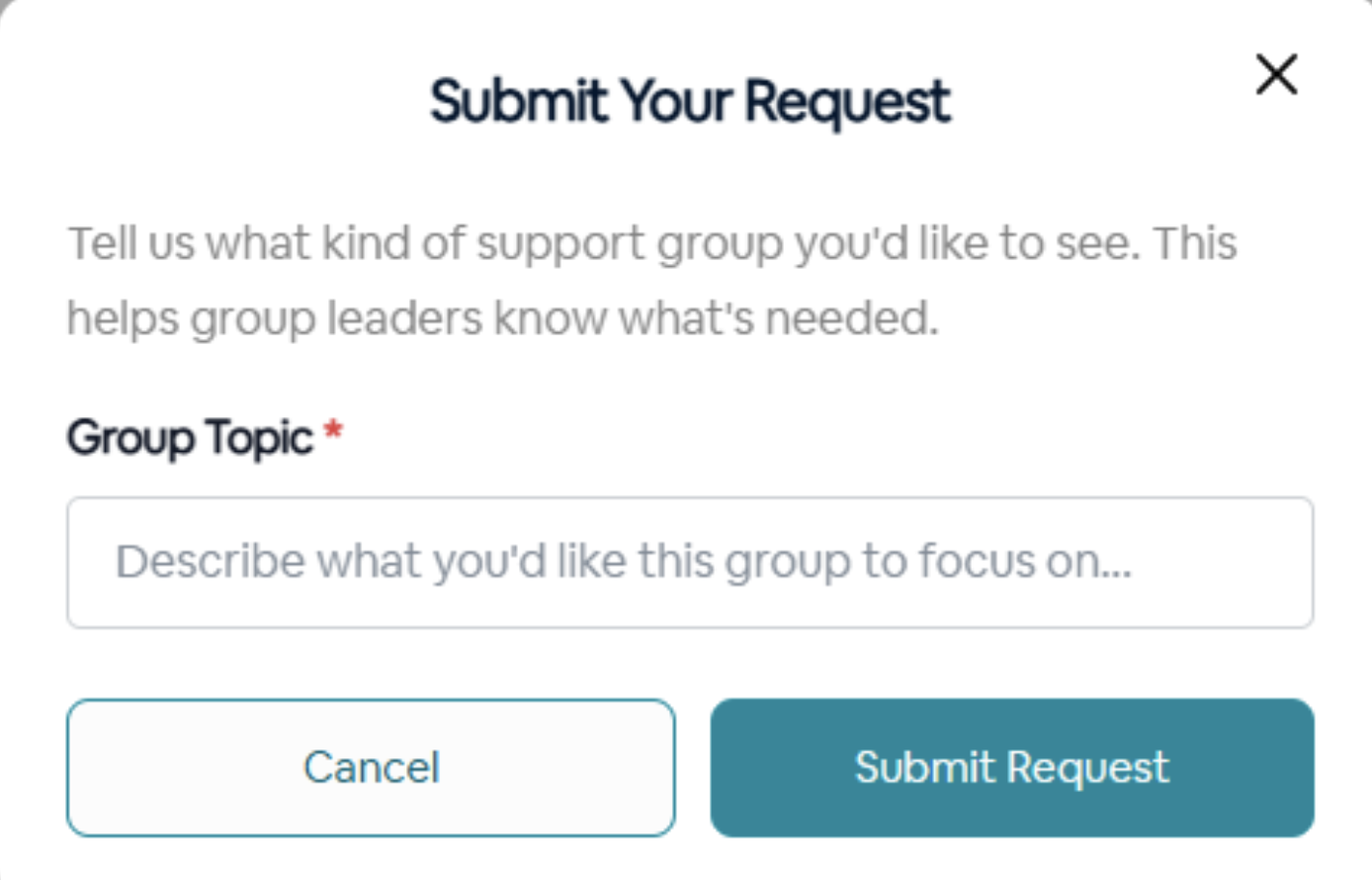
Submit Your Topic
Click Request a Topic, enter your topic or question, then click Submit.
- Your topic is added to the list
- It becomes visible to the Group Leader
What happens next
- Your topic is recorded and visible to the Group Leader
- Other members may submit similar topics
- Leaders may plan sessions based on demand
5 How Requested Topics Are Used
- Group Leaders review all submitted topics
- High-demand topics are prioritized for sessions
- Topics influence session themes, group discussions, and future planning
Important Notes
- You may need to Follow or Join a group before requesting a topic
- Following does not guarantee participation access
- Joining is required for full participation
- Listing Groups are free groups visible on Explore
- Active Groups are paid groups that require payment to access sessions
Best Practices
- Be clear and specific when requesting topics
- Check existing topics before submitting a new one
- Follow or join relevant groups
- Use Requested Topics to discover trends and align with others
Common Mistakes
- Submitting vague topics like "help" — be specific
- Not checking existing topics before adding a duplicate
- Expecting sessions to be created instantly
- Not joining the group before attempting to request a topic
Troubleshooting
Requested Topics give you a voice in shaping your support experience. Explore what others need and share your own to help create meaningful, relevant sessions.