Welcome to Your Group
Learn how to discover groups, follow them, and join as a member so you can start participating in sessions and community discussions.
Overview
Welcome to your group on MentalHappy 🎉 This guide walks you through how to discover groups, follow them, and join as a member so you can start participating in sessions and community discussions.
In this article, you'll learn how to:
- Explore groups on the platform
- Follow a group
- Join a group as a member
- Understand the difference between Follow and Join
Before You Begin
- You must be logged into your MentalHappy account
- Some groups are Free, while others are Paid
- You can Follow a group without joining it
End-to-End Flow
1 Discover Groups from Explore
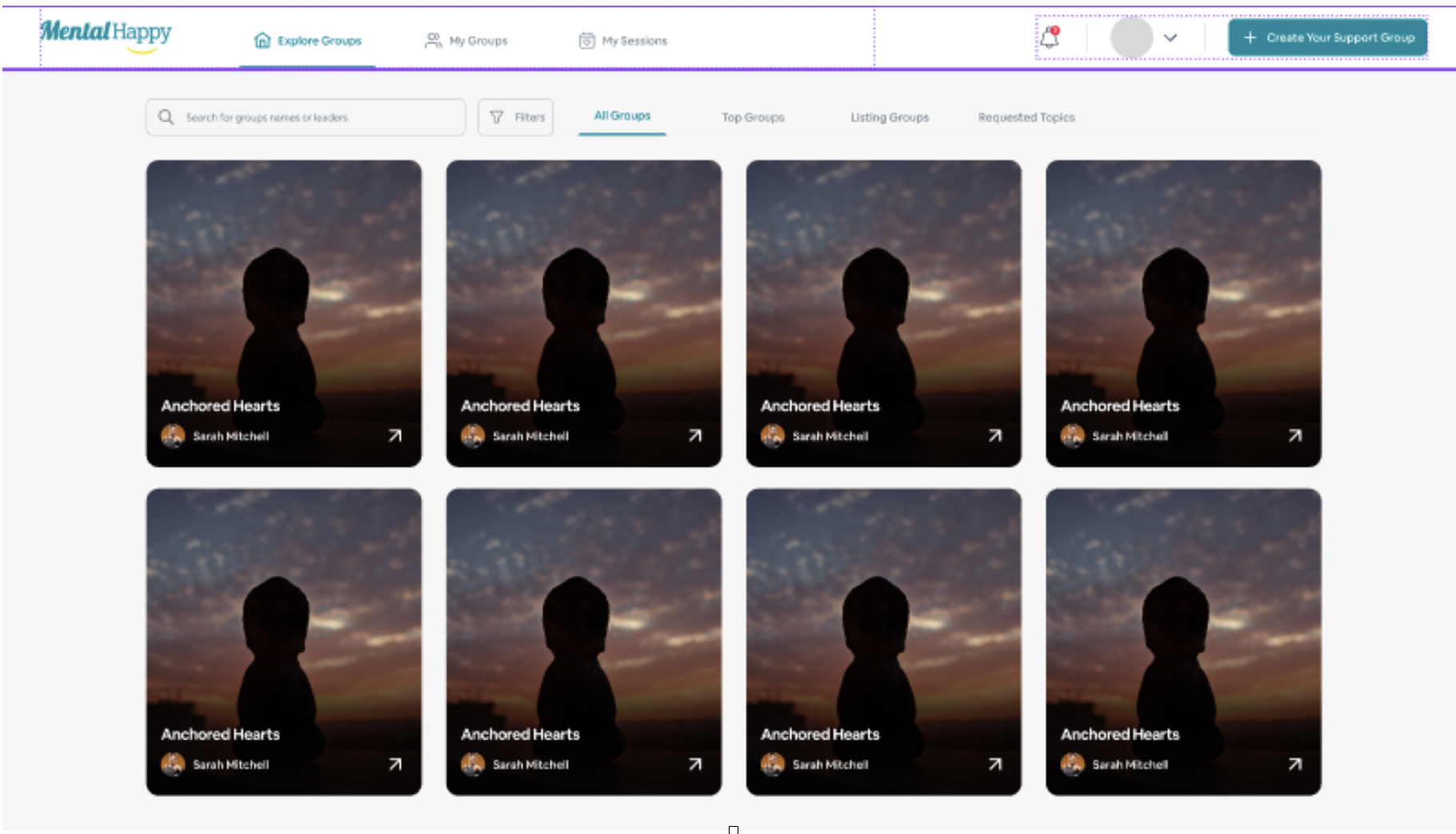
Go to Explore
Go to the Explore page from the main navigation menu. Browse or search for groups based on your interests.
- A list of available groups is displayed
- Each group shows: Description, Host (Group Leader), Upcoming sessions, and Pricing
Open a Group
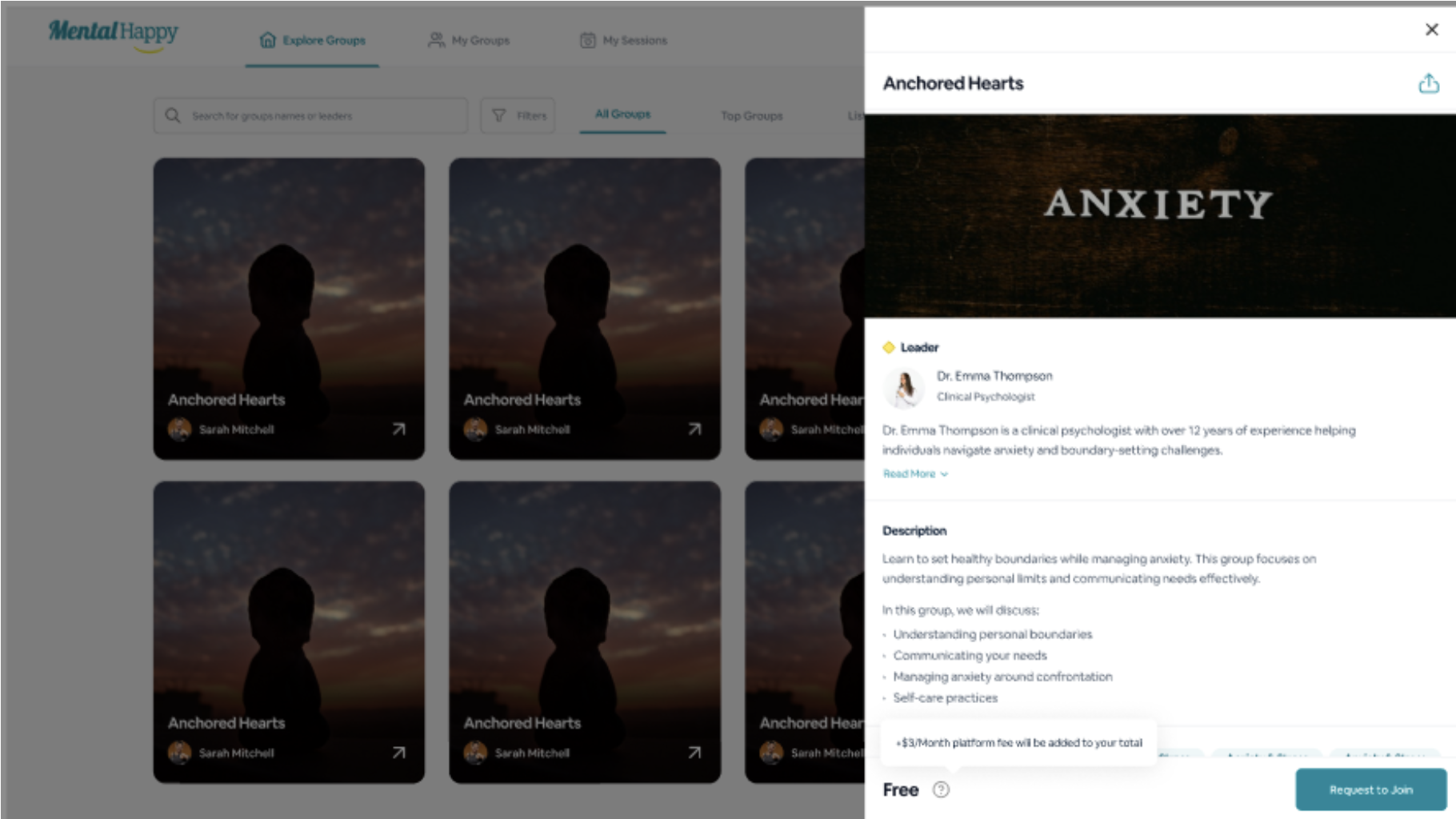
Click on a group that interests you.
The Group Detail Page opens where you can view: group description, upcoming sessions, pricing (Free or Paid), and host information.
2 Follow a Group
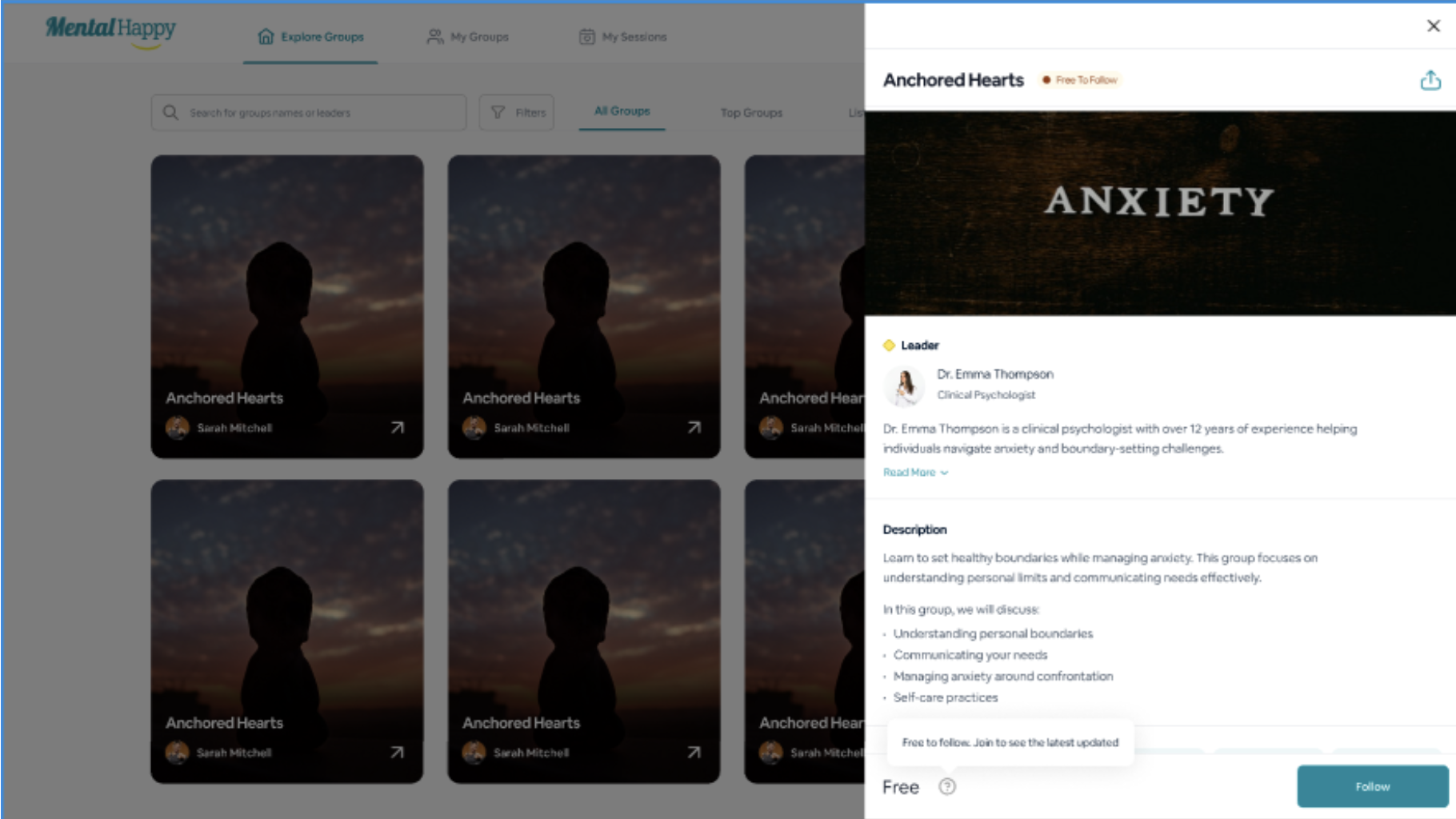
Click Follow
Click the Follow button on the group page.
- The group is added to your Followed Groups
- You start receiving updates and notifications
What happens next
- The group appears in your Followed list
- You receive notifications about new sessions or updates
- You do not get access to sessions or member-only content
3 Join a Group as a Member
Click Join
Click the Join Group button.
- Free group: You are added instantly
- Paid group: You are prompted to complete payment
Complete Joining
Confirm your participation (and complete payment if required).
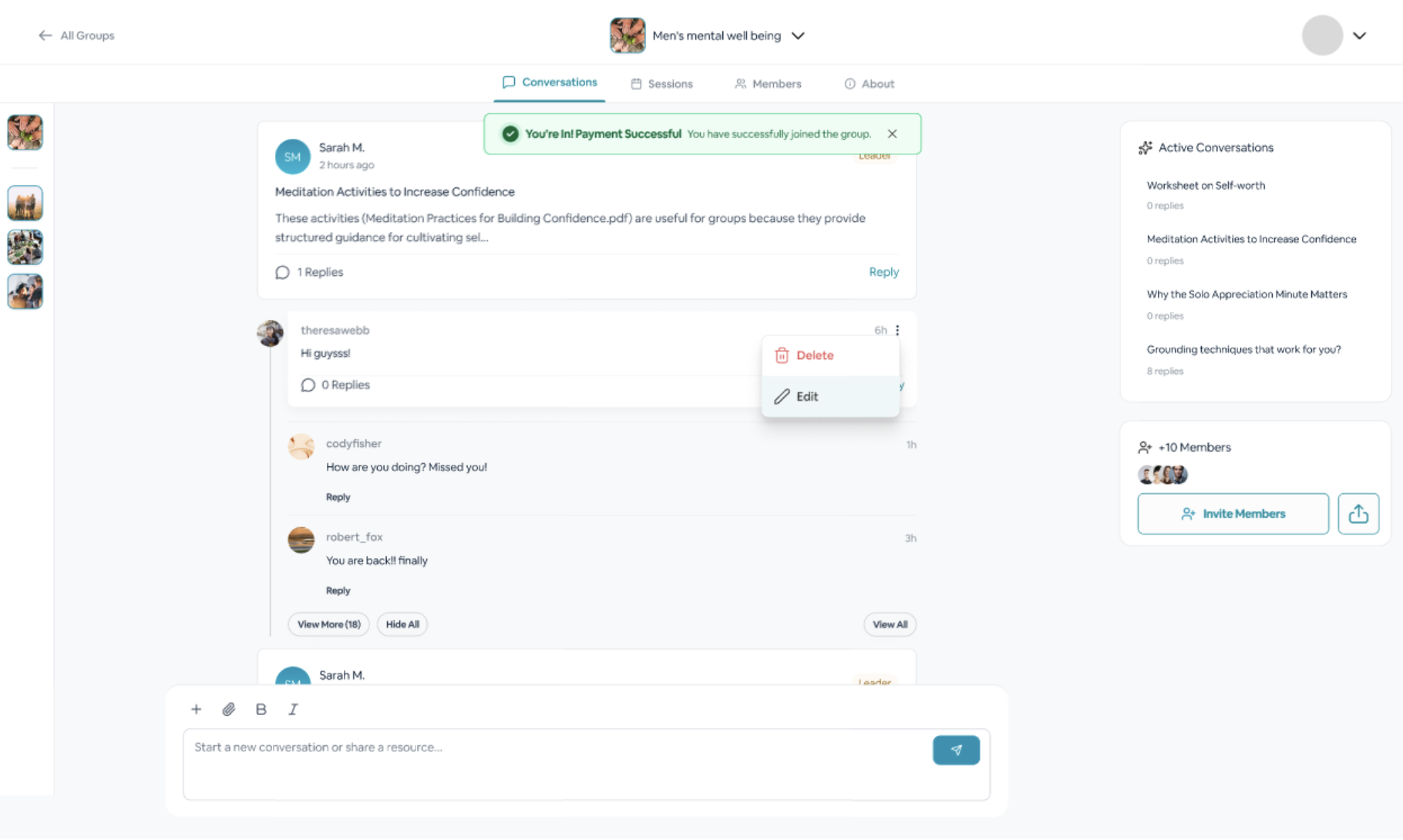
- You become a Member of the group
- You gain access to sessions and group content
What happens next
- You can join and attend sessions
- You can interact within the group
- You receive reminders and updates
4 Follow vs Join — Key Difference
Follow a Group Free
- No cost, no commitment
- Stay updated with group activity
- Receive notifications and updates
- No access to sessions or exclusive content
Join a Group Member
- May require payment (Paid groups)
- Full access to sessions and group content
- Ability to actively participate
- Receive session reminders
Important Notes
- Members can create their own groups if they want to start a support group
- A Group Leader can also join and participate in other groups as a Member
- Following a group does not grant access to sessions or member-only content
- Joining is required to access sessions and participate
- Group Listing refers to Free groups users can discover and join without payment
- Active Group refers to Paid groups that require payment to access sessions
Best Practices
- Explore multiple groups before making a decision
- Read group descriptions and session details carefully
- Check session timings and availability before joining
- Follow groups to track updates and upcoming sessions
- Join groups that match your goals and schedule
Common Mistakes
- Assuming Follow = Membership
- Not checking if the group is Free or Paid
- Joining without reviewing session timings
- Missing sessions due to disabled notifications
Troubleshooting
Choosing the right group can be a meaningful step in your journey. Take your time to explore, follow, and join the groups that best support your needs.